File list
Jump to navigation
Jump to search
This special page shows all uploaded files.

| Date | Name | Thumbnail | Size | User | Description | Versions |
|---|---|---|---|---|---|---|
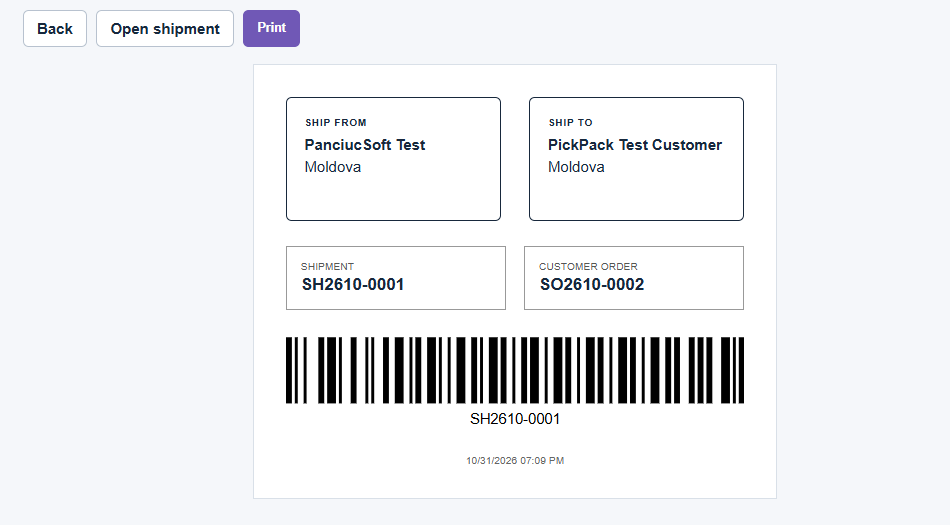
| 12:58, 1 November 2026 | Warehouse Scanner Pro 1.1.0 Shipping Label.png (file) |  |
18 KB | Mikrosha2000 | Warehouse Scanner Pro 1.1.0 – printable shipping label with shipment barcode and order reference. | 1 |
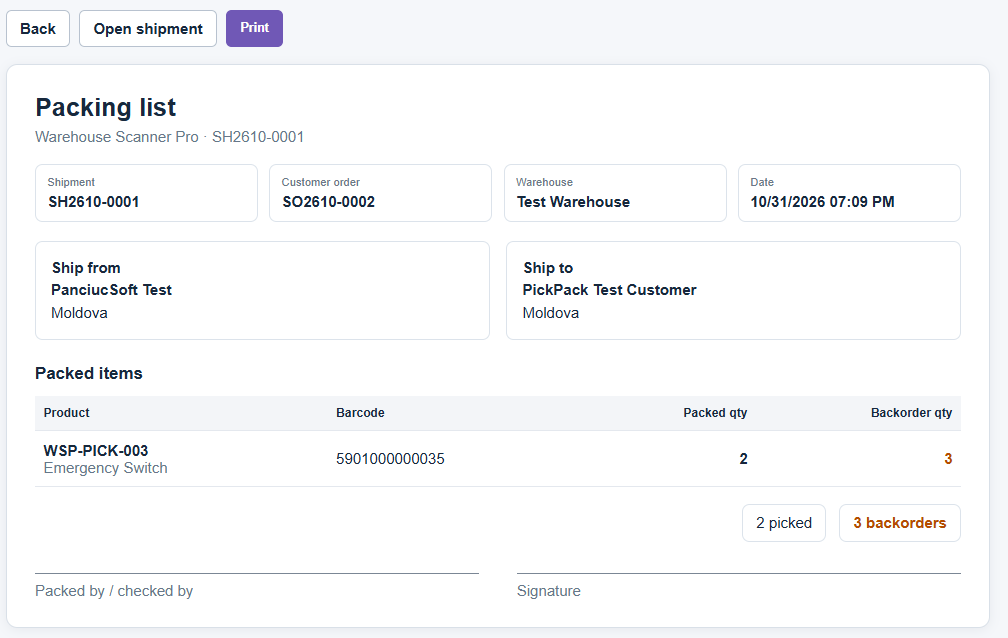
| 12:56, 1 November 2026 | Warehouse Scanner Pro 1.1.0 Packing List.png (file) |  |
37 KB | Mikrosha2000 | Warehouse Scanner Pro 1.1.0 – printable packing list for Pick & Pack shipments. | 1 |
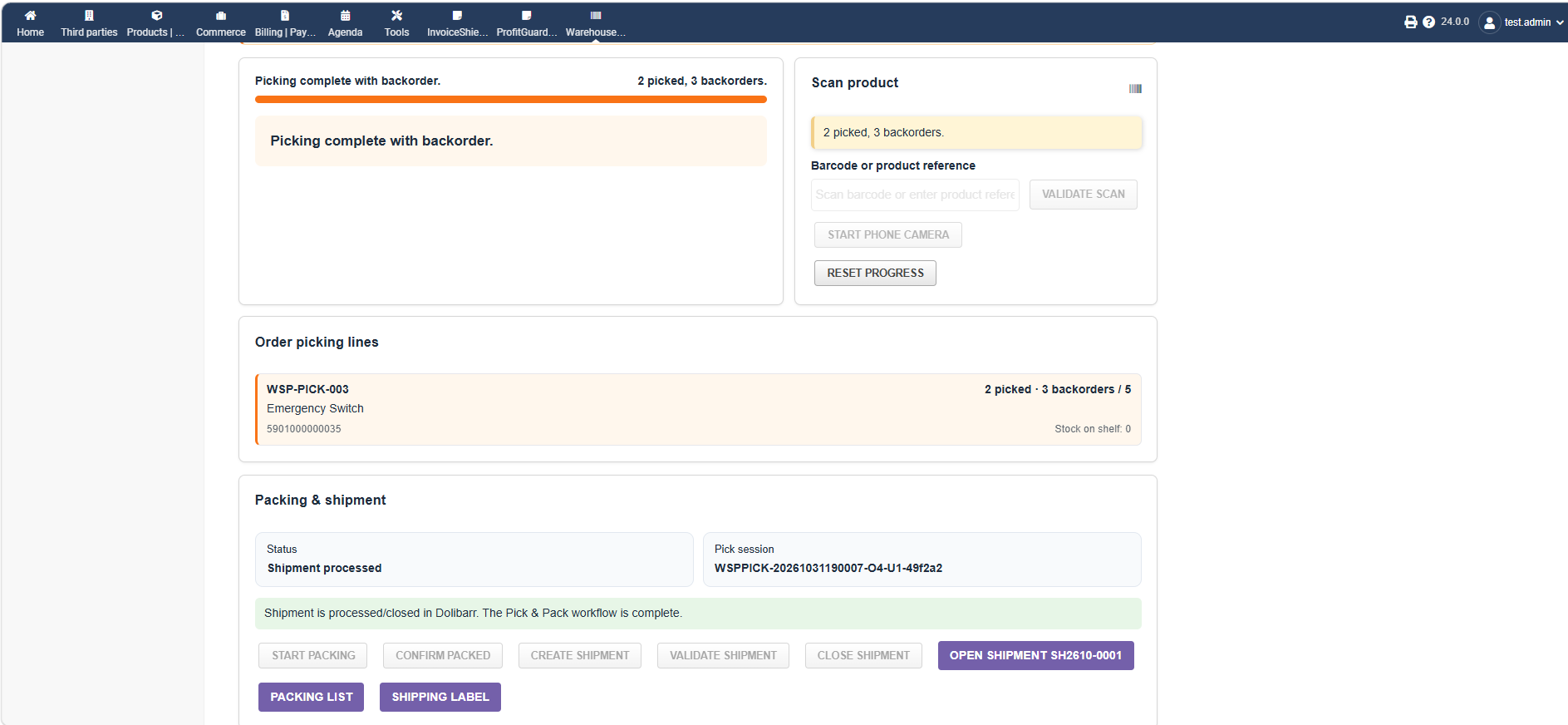
| 12:47, 1 November 2026 | Warehouse Scanner Pro 1.1.0 Packing Shipment Completed.png (file) |  |
75 KB | Mikrosha2000 | Warehouse Scanner Pro 1.1.0 – completed packing and shipment workflow. | 1 |
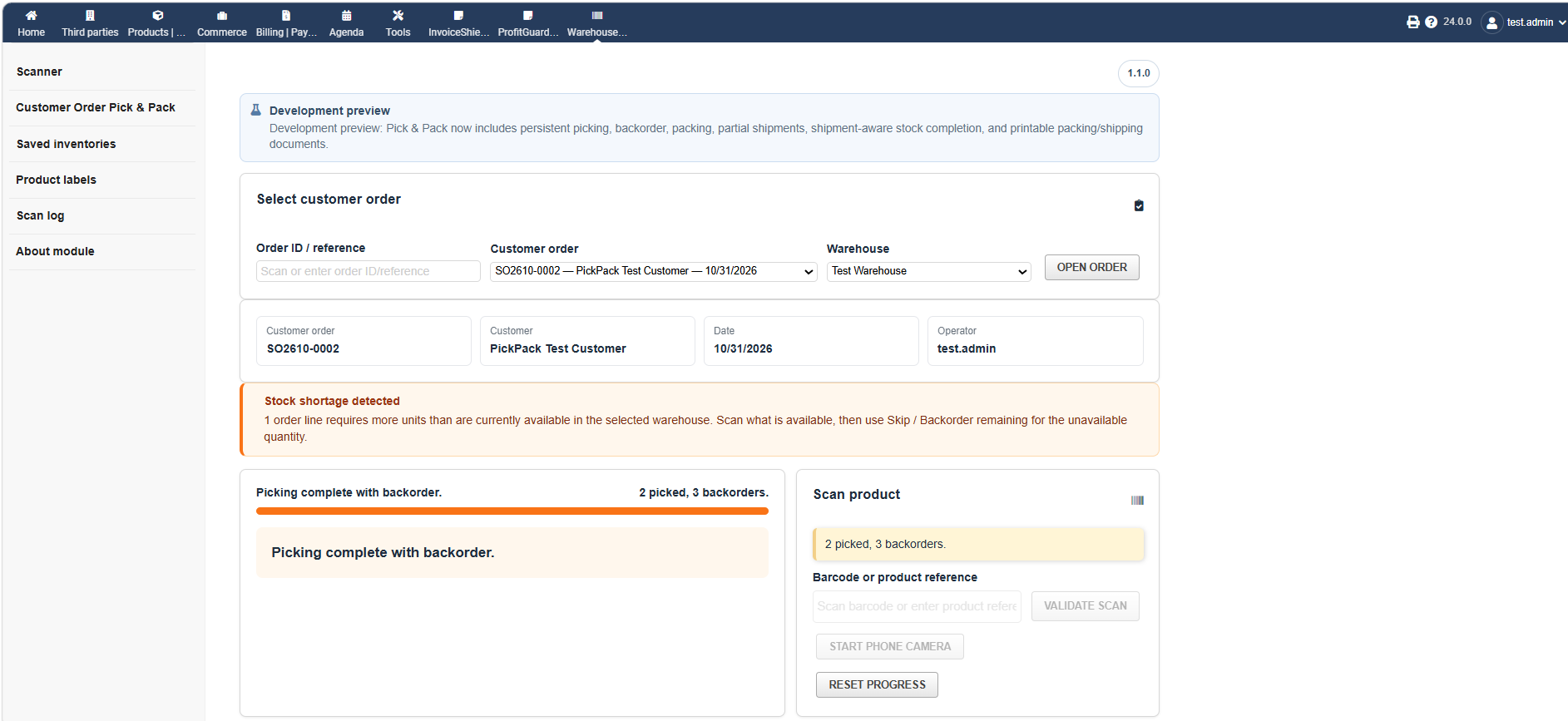
| 12:41, 1 November 2026 | Warehouse Scanner Pro 1.1.0 Backorder Partial Shipment.png (file) |  |
89 KB | Mikrosha2000 | Warehouse Scanner Pro 1.1.0 – backorder handling and partial shipment workflow for insufficient stock. | 1 |
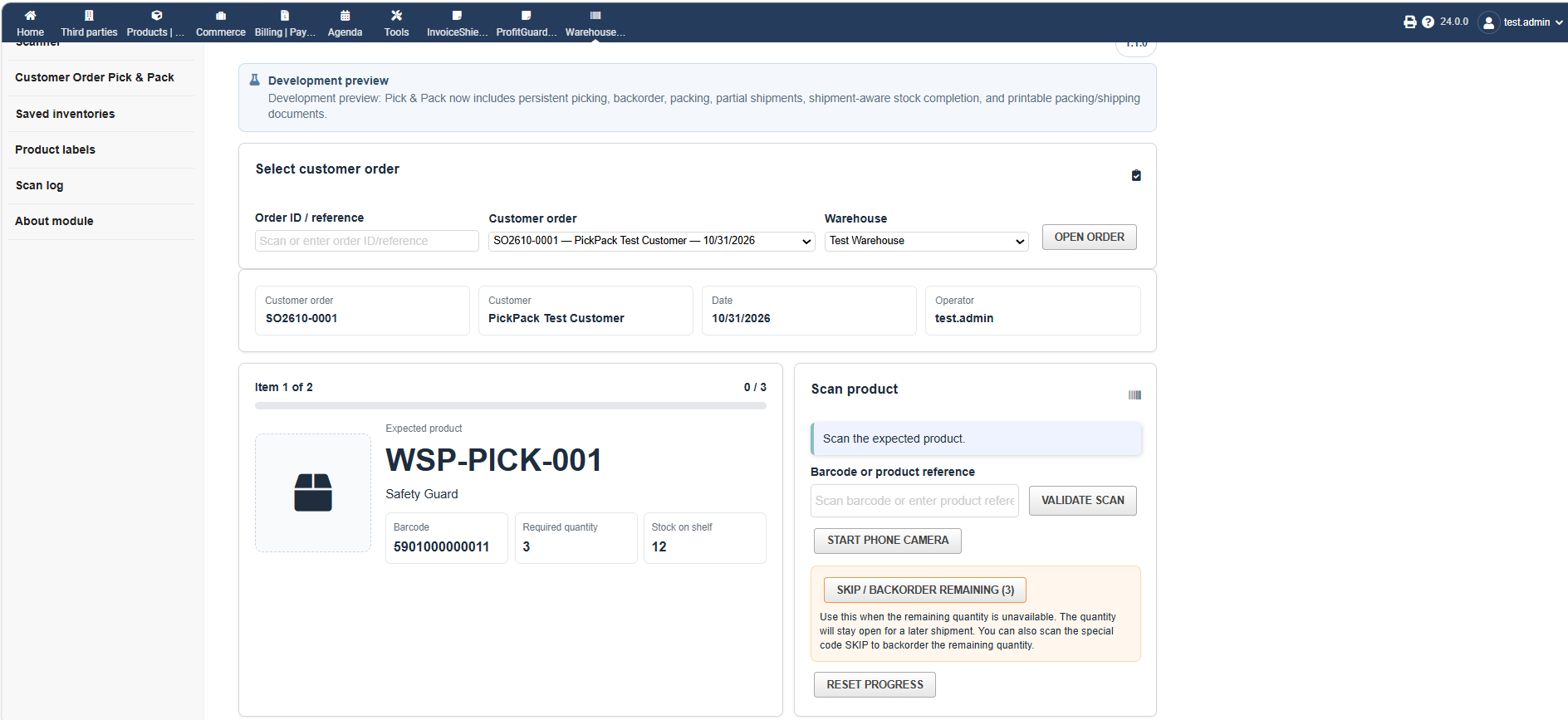
| 12:38, 1 November 2026 | Warehouse Scanner Pro 1.1.0 Customer Order Pick Pack.png (file) |  |
104 KB | Mikrosha2000 | Warehouse Scanner Pro 1.1.0 – Customer Order Pick & Pack workflow with order selection, picking progress and stock availability. | 1 |
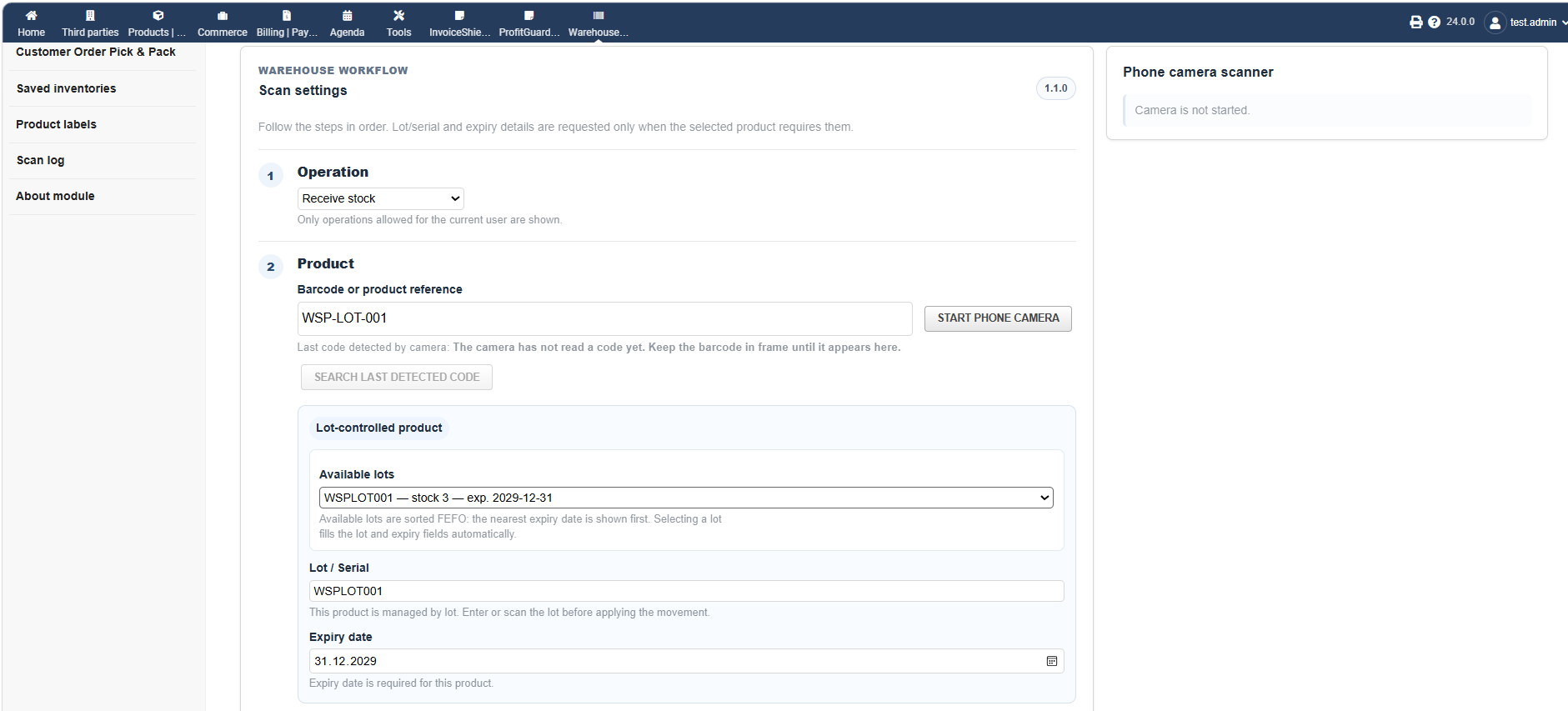
| 12:33, 1 November 2026 | Warehouse Scanner Pro 1.1.0 Lot Expiry FEFO.png (file) |  |
94 KB | Mikrosha2000 | Warehouse Scanner Pro 1.1.0 – lot and expiry management with available lot selection and FEFO workflow. | 1 |
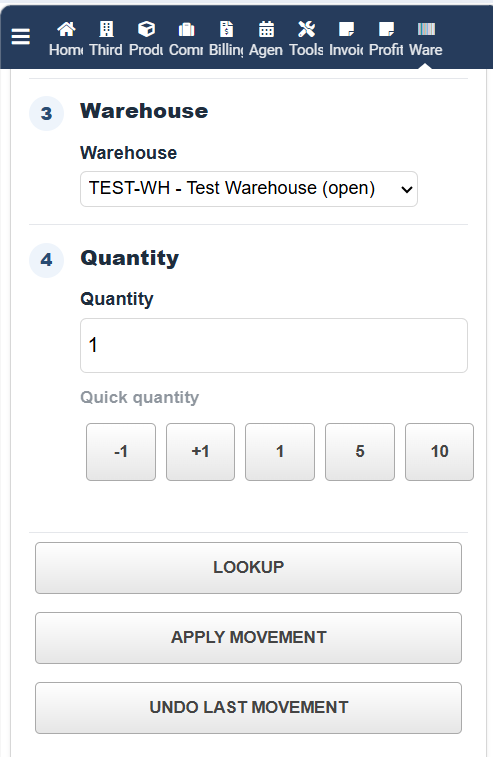
| 12:02, 1 November 2026 | Warehouse Scanner Pro 1.1.0 Mobile Quantity Actions.png (file) |  |
36 KB | Mikrosha2000 | Warehouse Scanner Pro 1.1.0 – mobile warehouse and quantity controls with lookup, apply movement and undo actions. | 1 |
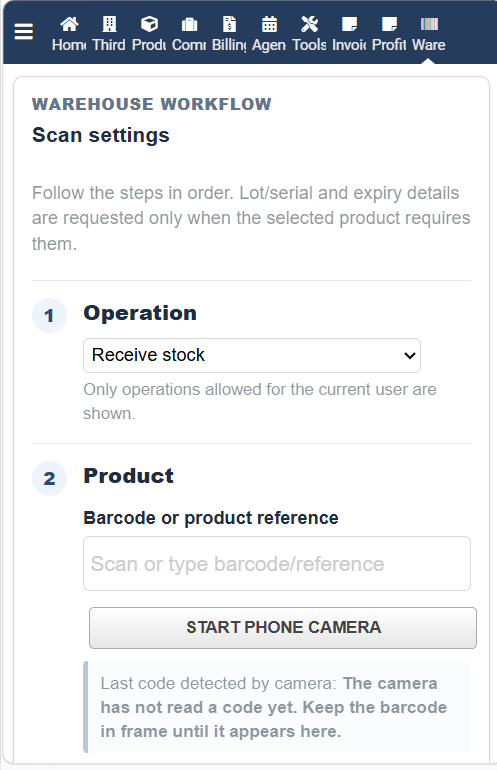
| 11:52, 1 November 2026 | Warehouse Scanner Pro 1.1.0 Mobile Scanner.png (file) |  |
63 KB | Mikrosha2000 | Mobile scanner workflow in Warehouse Scanner Pro 1.1.0 showing operation selection, barcode or product reference input, and phone camera scanning on a mobile device. | 1 |
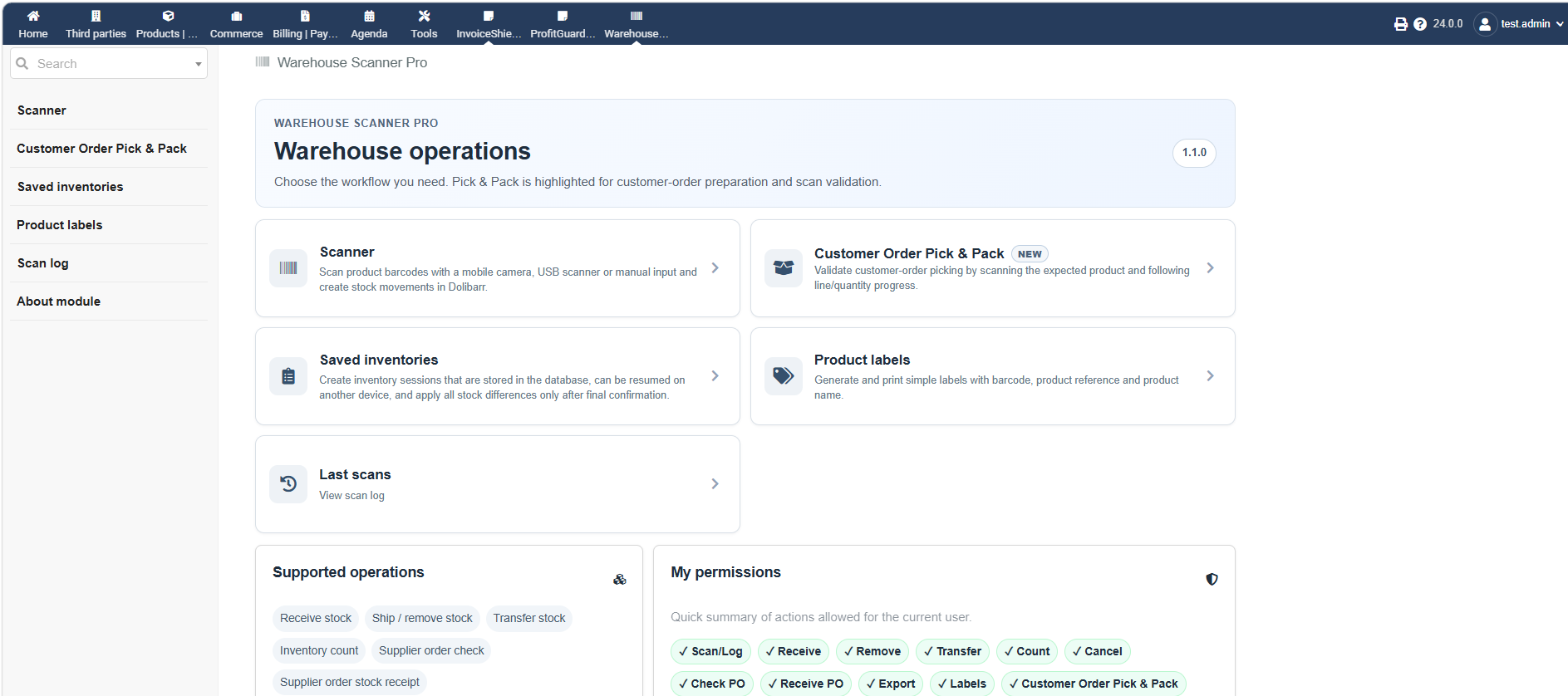
| 11:43, 1 November 2026 | Warehouse Scanner Pro 1.1.0 Dashboard.png (file) |  |
138 KB | Mikrosha2000 | Warehouse Scanner Pro 1.1.0 dashboard showing Scanner, Customer Order Pick & Pack, Saved Inventories, Product Labels and warehouse operation shortcuts. | 1 |
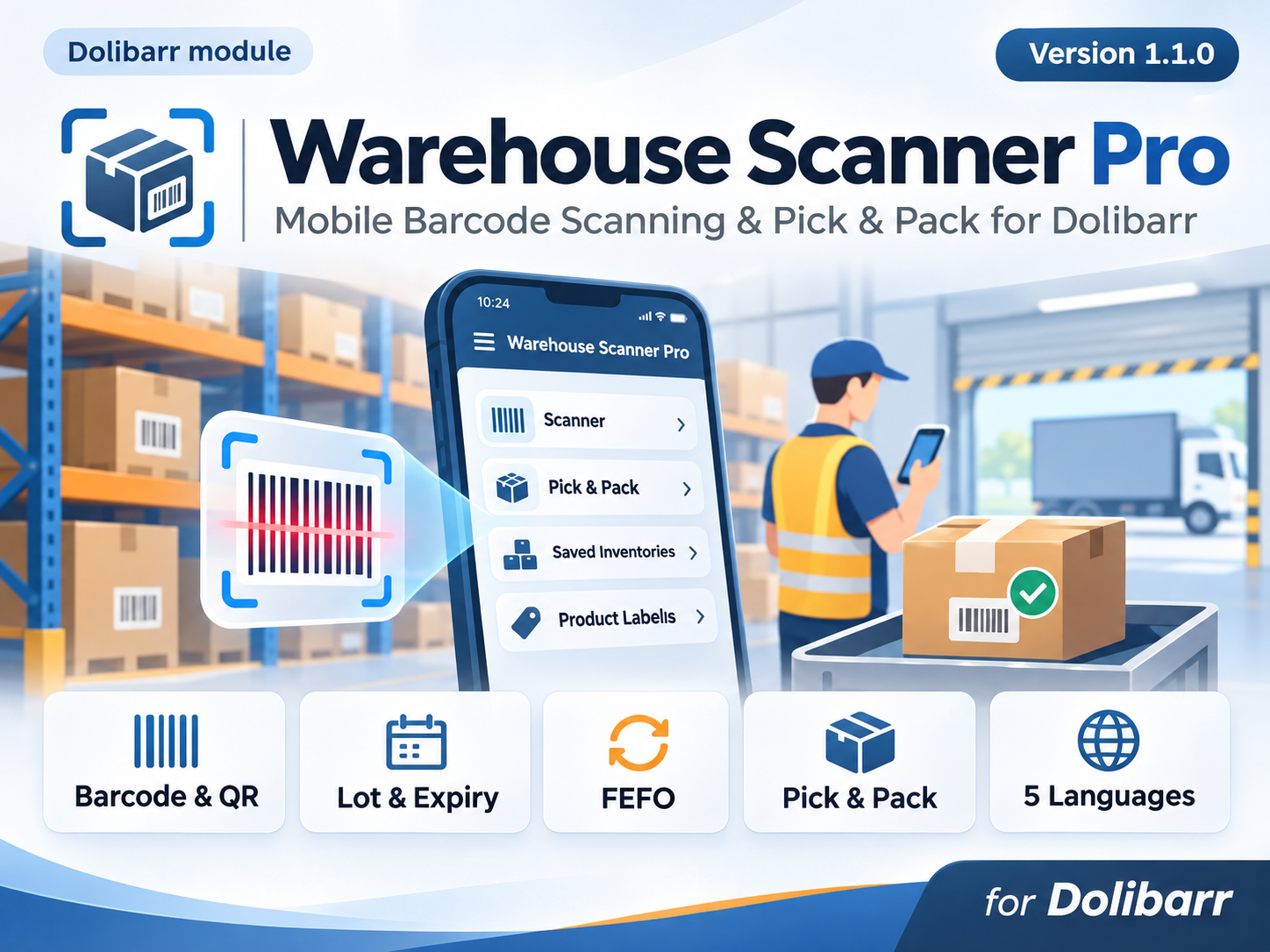
| 09:52, 1 November 2026 | Warehouse Scanner Pro 1.1.0 Cover.png (file) |  |
1.65 MB | Mikrosha2000 | Warehouse Scanner Pro 1.1.0 cover image – mobile barcode scanning, FEFO lot/expiry management and Customer Order Pick & Pack for Dolibarr. | 1 |
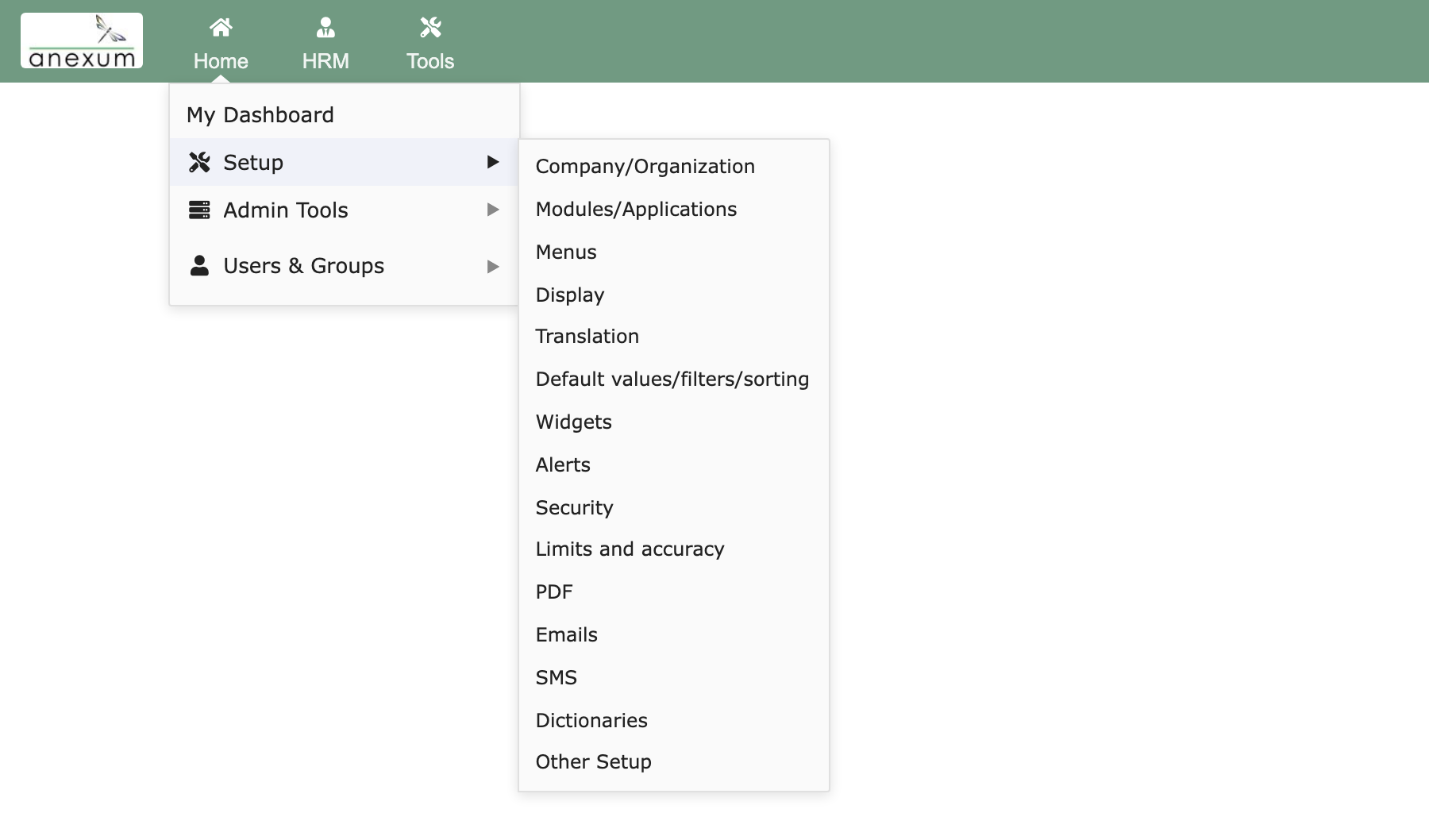
| 10:55, 31 October 2026 | MegaMenu dropdown.png (file) |  |
83 KB | Fhoedl | MegaMenu module for Dolibarr (Anexum GmbH, https://anexum.eu): hovering "Home" opens a two-level dropdown (Setup submenu). Used on Module MegaMenu. Category:Complementary modules | 1 |
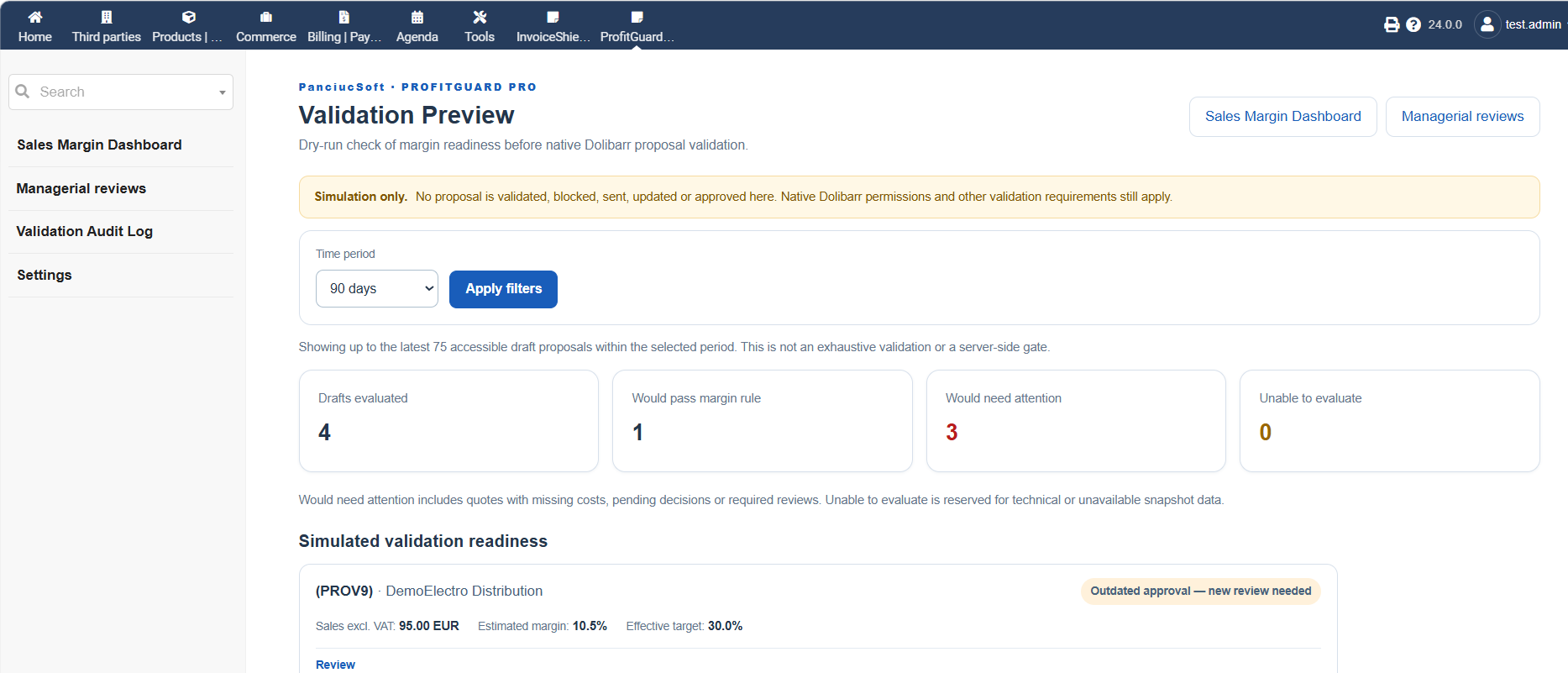
| 10:25, 31 October 2026 | ProfitGuardPro 1 0 0 09 Validation Preview.png (file) |  |
91 KB | Mikrosha2000 | Validation Preview in ProfitGuard Pro 1.0.0 for Dolibarr. Displays a read-only assessment of proposal validation readiness, including calculated margins, configured margin thresholds, missing cost information, managerial approval status and potential validation outcomes. The preview allows users to inspect possible validation issues without changing the proposal status or performing an actual validation. Author: PanciucSoft. Source: Original screenshot of ProfitGuard Pro 1.0.0. | 1 |
| 10:23, 31 October 2026 | ProfitGuardPro 1 0 0 08 Validation Protection Settings.png (file) |  |
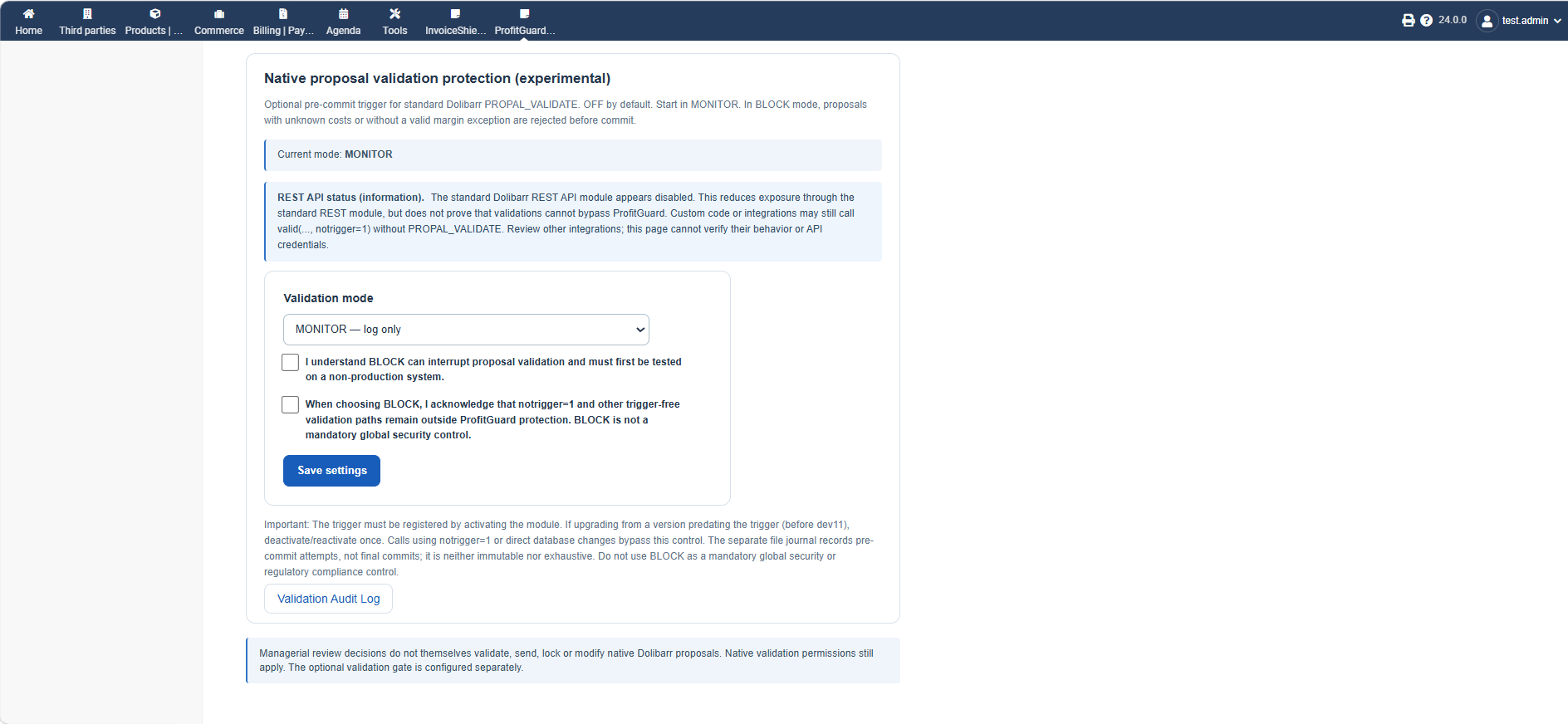
90 KB | Mikrosha2000 | Validation Protection Settings in ProfitGuard Pro 1.0.0 for Dolibarr. Shows the optional proposal validation controls with three operating modes: OFF, MONITOR and BLOCK. MONITOR records supported validation decisions without preventing validation. BLOCK can prevent validation through the supported native Dolibarr trigger when margin requirements are not met and no valid managerial exception exists. The BLOCK mode is experimental and does not guarantee enforcement through all API, custom or... | 1 |
| 10:18, 31 October 2026 | ProfitGuardPro 1 0 0 07 Outdated Approval.png (file) |  |
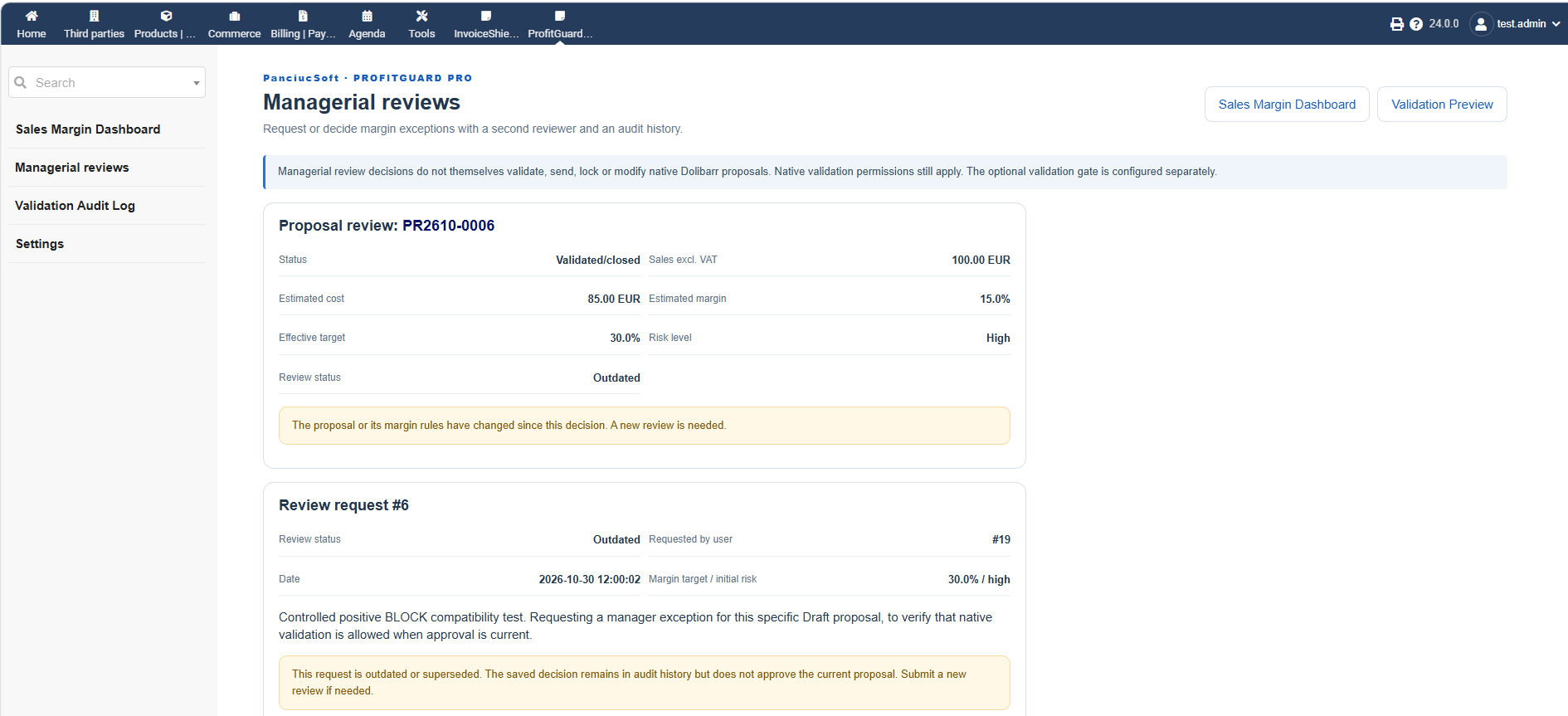
88 KB | Mikrosha2000 | Outdated Managerial Approval in ProfitGuard Pro 1.0.0 for Dolibarr. Demonstrates how previously granted managerial approvals become outdated when the commercial proposal or applicable margin rules change, requiring a new review before the exception can be relied upon. Author: PanciucSoft. Source: Original screenshot of ProfitGuard Pro 1.0.0. | 1 |
| 10:16, 31 October 2026 | ProfitGuardPro 1 0 0 06 Margin Settings.png (file) |  |
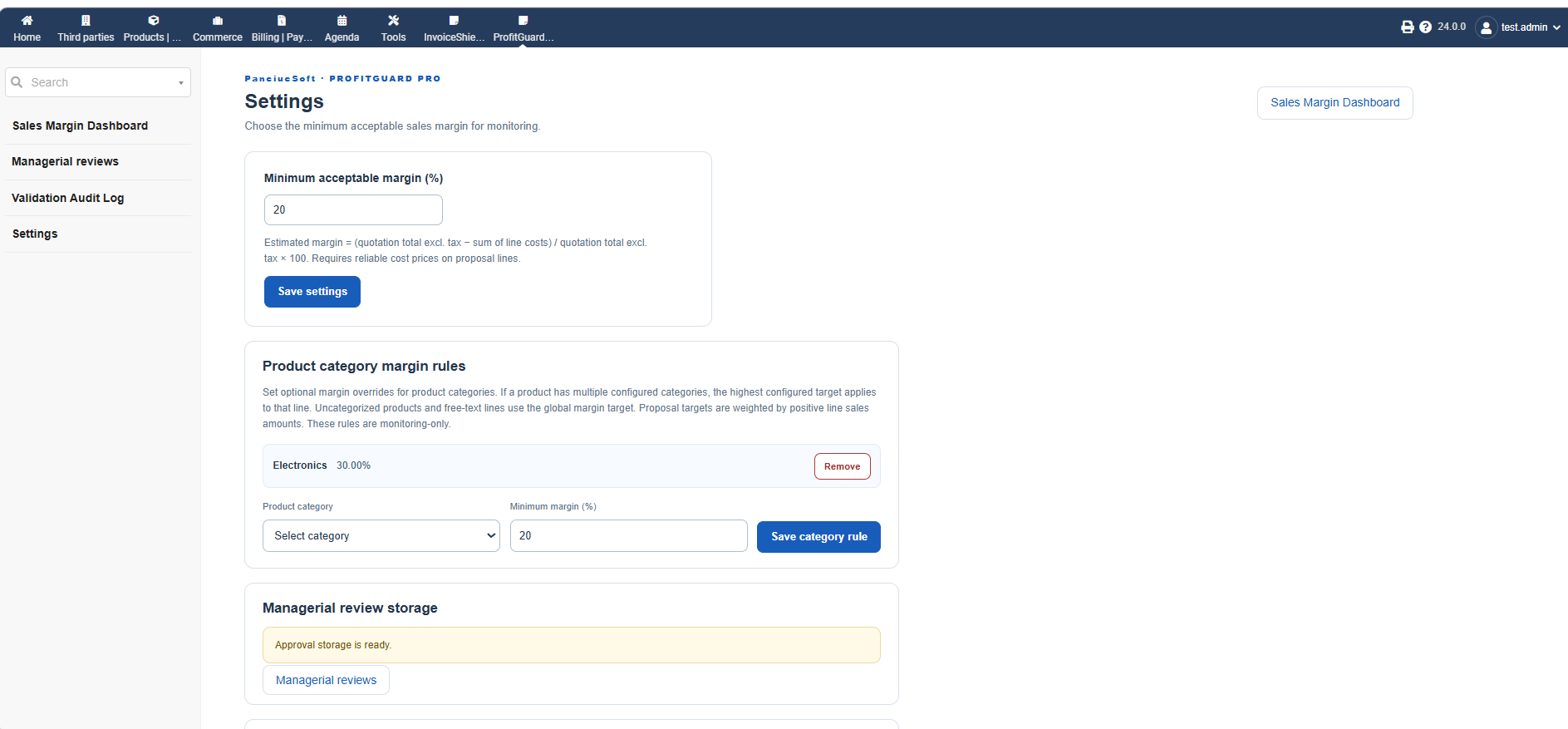
77 KB | Mikrosha2000 | Margin Settings in ProfitGuard Pro 1.0.0 for Dolibarr. Shows configuration of the global minimum profit margin, category-specific margin targets and related profitability monitoring options. These settings help businesses identify commercial proposals with insufficient margins or missing cost information. Author: PanciucSoft. Source: Original screenshot of ProfitGuard Pro 1.0.0. | 1 |
| 10:13, 31 October 2026 | ProfitGuardPro 1 0 0 05 Validation Audit Log.png (file) |  |
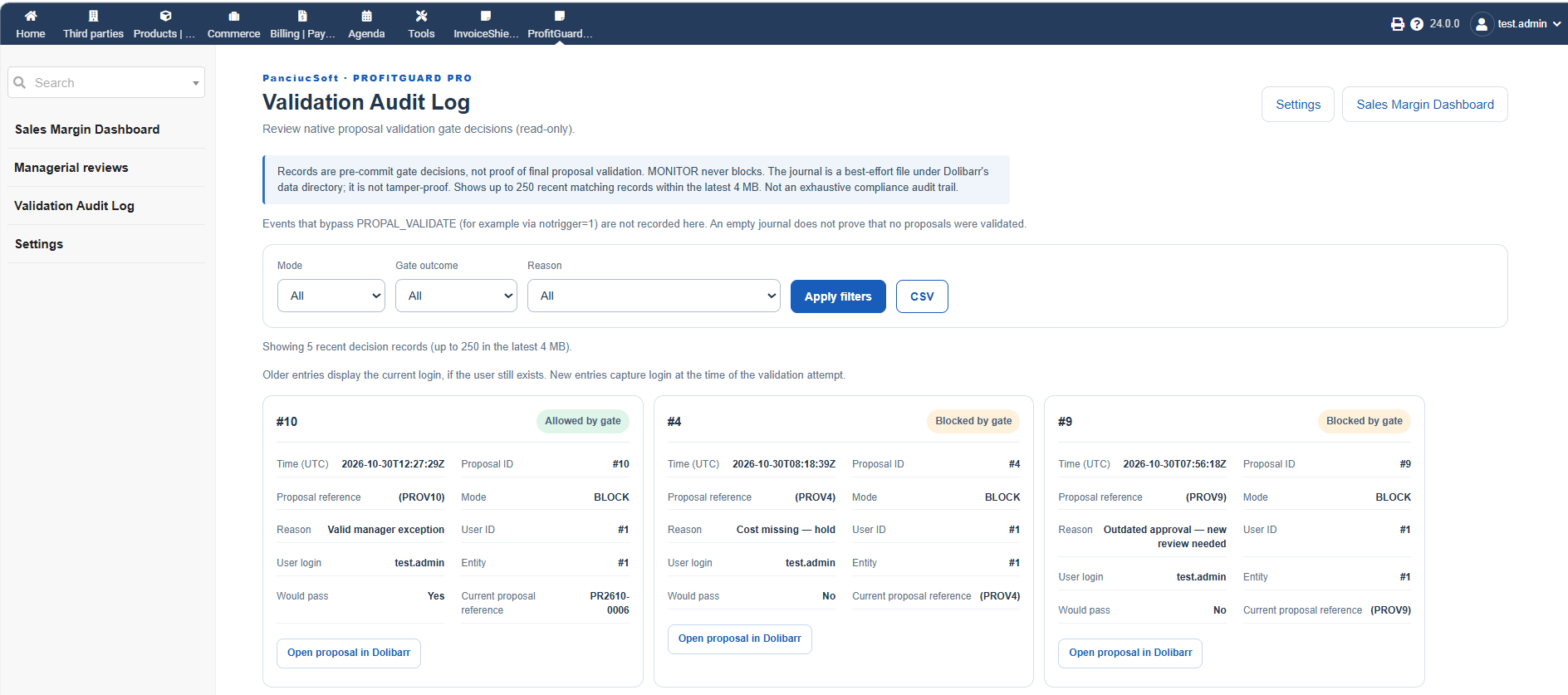
110 KB | Mikrosha2000 | Validation Audit Log in ProfitGuard Pro 1.0.0 for Dolibarr. Displays recorded proposal validation decisions, validation modes, gate outcomes, reasons, proposal references, users and timestamps. The log supports filtering and CSV export. It records decisions from supported native Dolibarr validation triggers and is not an exhaustive or immutable audit trail. Author: PanciucSoft. Source: Original screenshot of ProfitGuard Pro 1.0.0. | 1 |
| 10:09, 31 October 2026 | ProfitGuardPro 1 0 0 04 Managerial Approval Detail.png (file) |  |
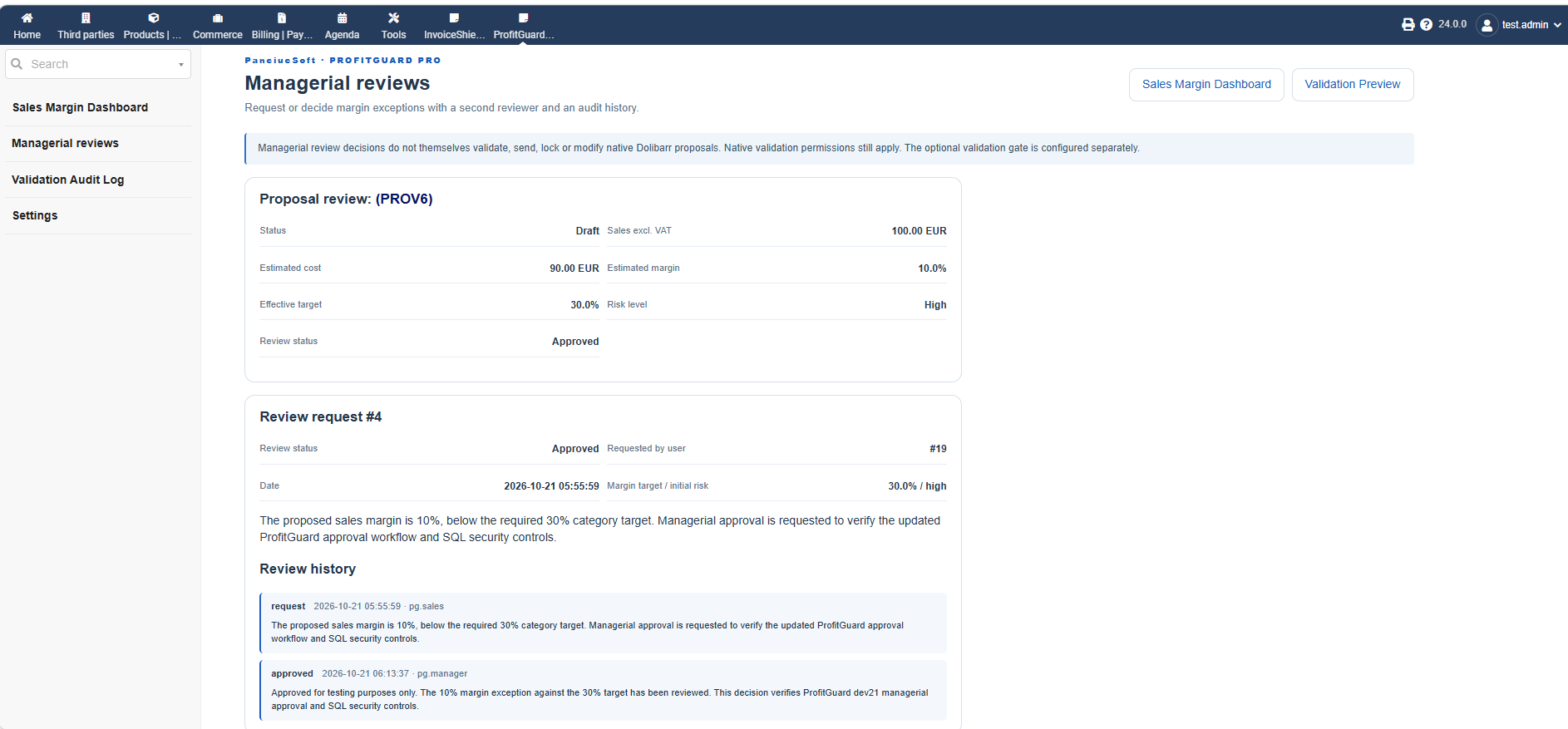
91 KB | Mikrosha2000 | Managerial Approval Detail in ProfitGuard Pro 1.0.0 for Dolibarr. Shows proposal margin information, approval status, the original exception request, manager decision and review history with user identification and timestamps. Author: PanciucSoft. Source: Original screenshot of ProfitGuard Pro 1.0.0. | 1 |
| 10:06, 31 October 2026 | ProfitGuardPro 1 0 0 03 Managerial Reviews.png (file) |  |
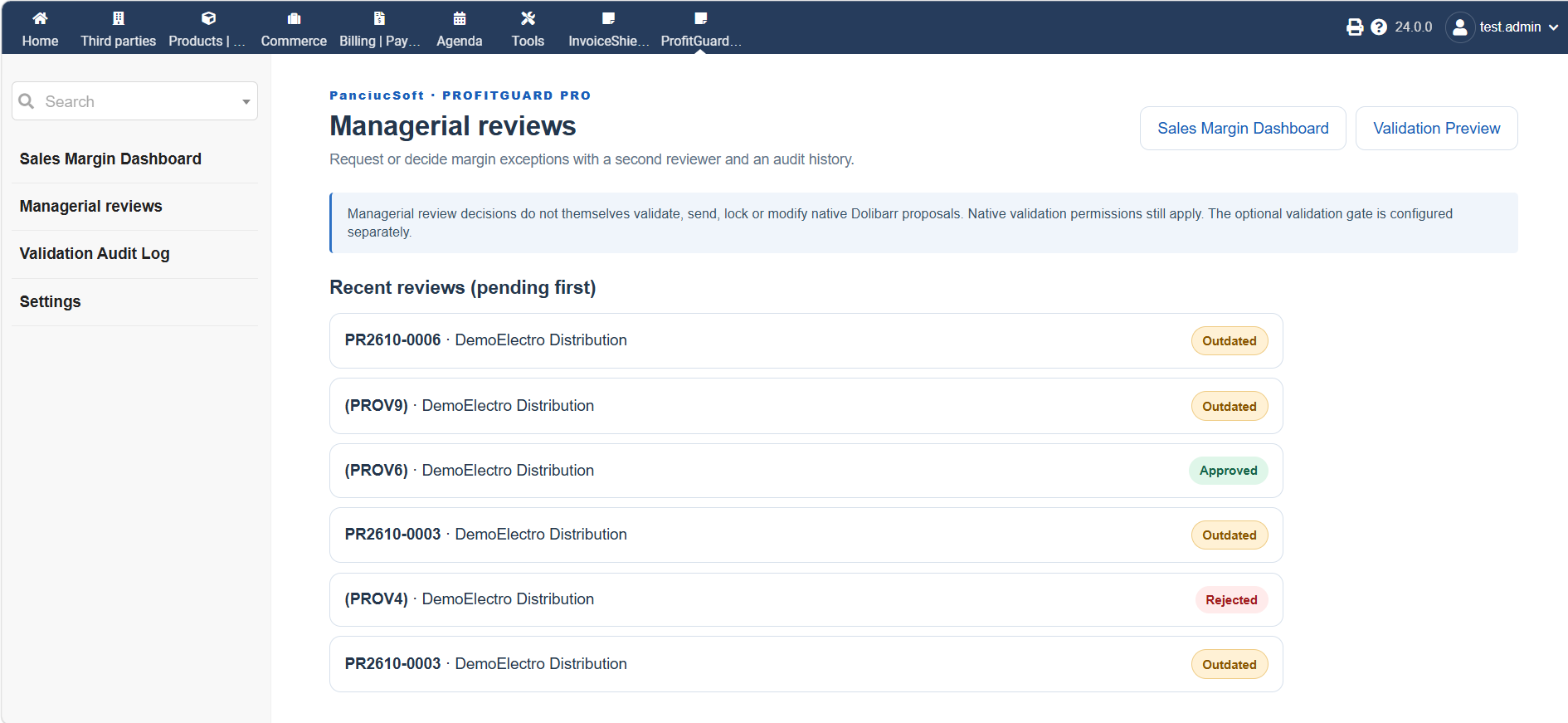
117 KB | Mikrosha2000 | Managerial Reviews overview in ProfitGuard Pro 1.0.0 for Dolibarr. Displays margin exception requests and their approval statuses, including Approved, Rejected and Outdated decisions. Author: PanciucSoft. Source: Original screenshot of ProfitGuard Pro 1.0.0. | 1 |
| 10:04, 31 October 2026 | ProfitGuardPro 1 0 0 02 Proposal Risk Assessment.png (file) |  |
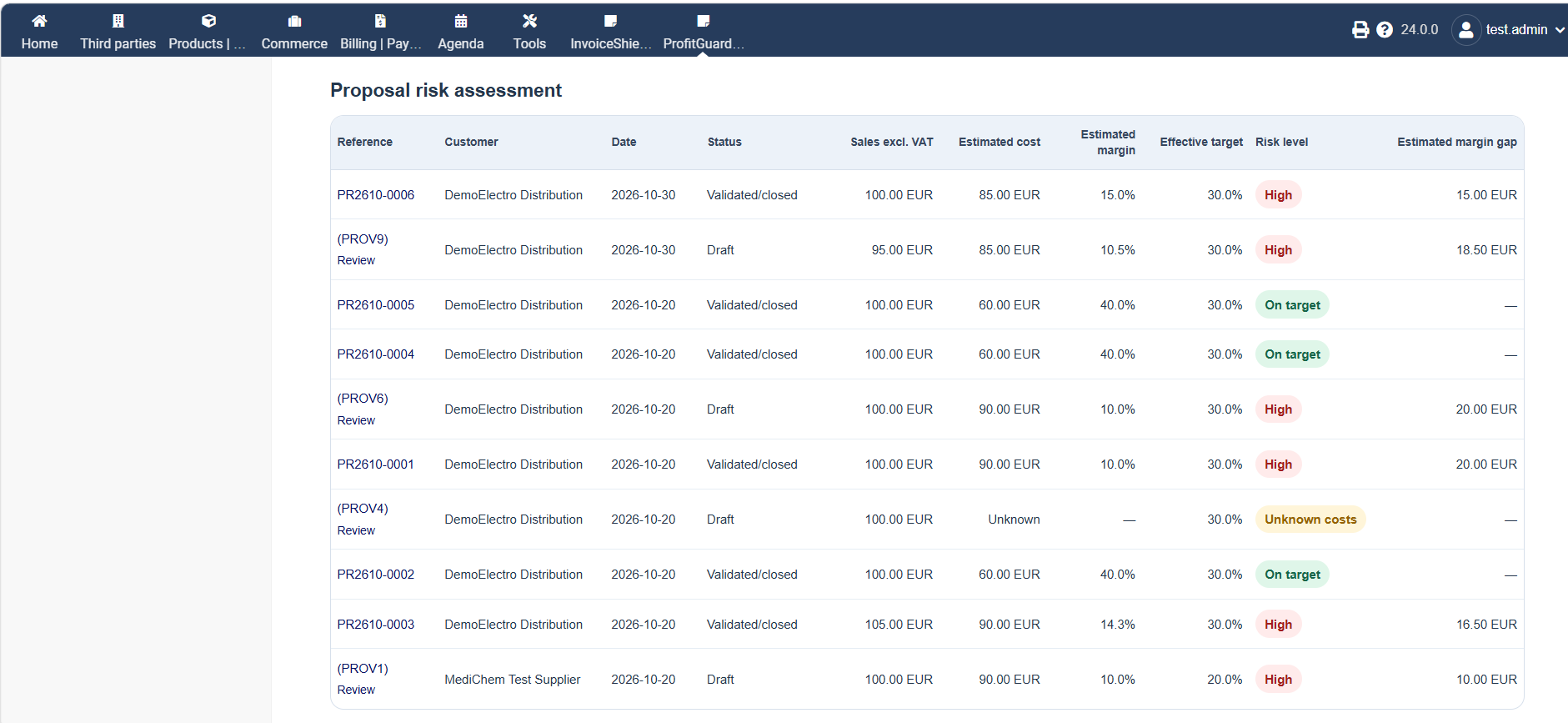
107 KB | Mikrosha2000 | Proposal Risk Assessment in ProfitGuard Pro 1.0.0 for Dolibarr. Displays estimated proposal margins, effective margin targets, risk classifications, missing cost information and estimated margin gaps. Author: PanciucSoft. Source: Original screenshot of ProfitGuard Pro 1.0.0. | 1 |
| 10:00, 31 October 2026 | ProfitGuardPro 1 0 0 01 Sales Margin Dashboard.png (file) |  |
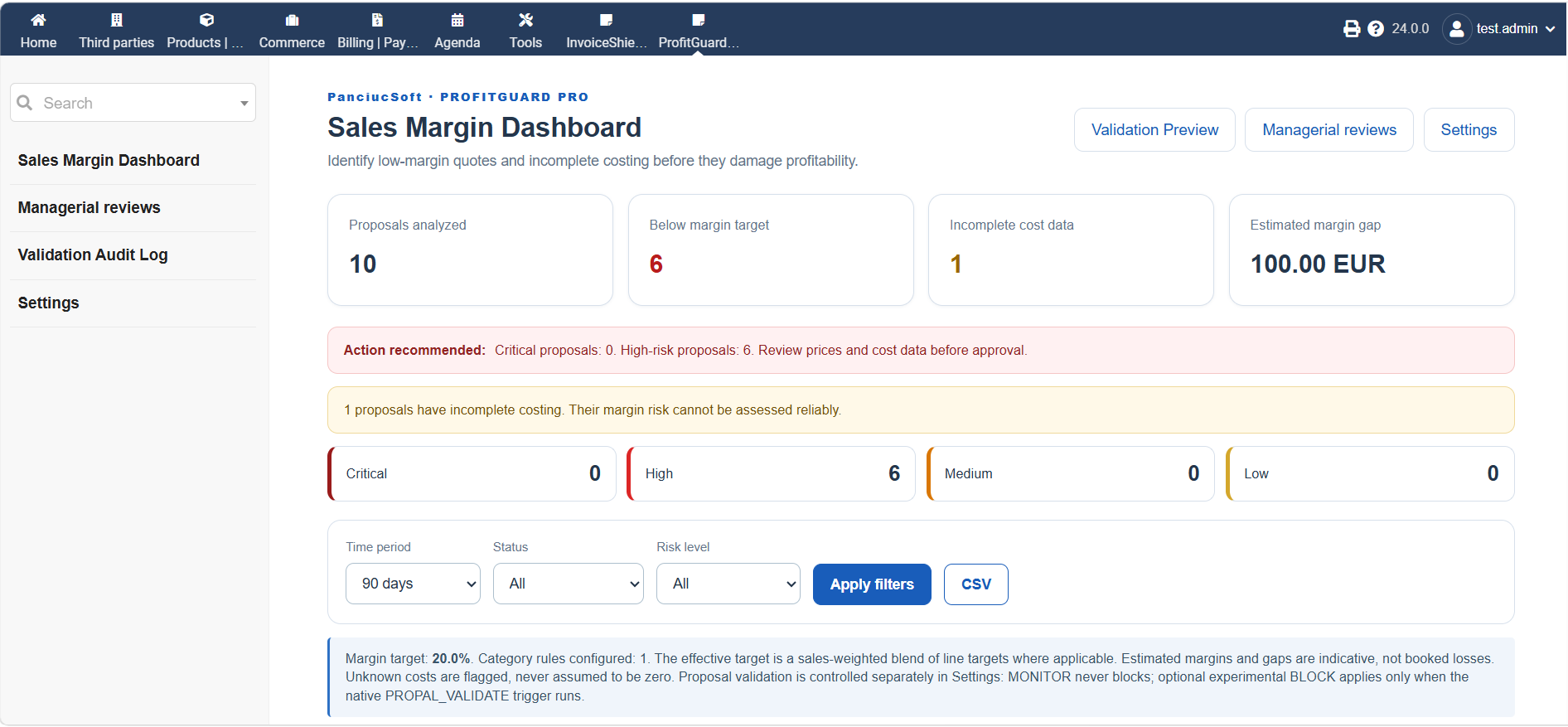
117 KB | Mikrosha2000 | Sales Margin Dashboard of ProfitGuard Pro 1.0.0 for Dolibarr. Displays analyzed proposals, low-margin risks, missing cost data, estimated margin gaps and configurable filters. Author: PanciucSoft. Source: Original screenshot of ProfitGuard Pro 1.0.0. | 1 |
| 06:25, 31 October 2026 | ProfitGuardPro 1 0 0 Cover.png (file) |  |
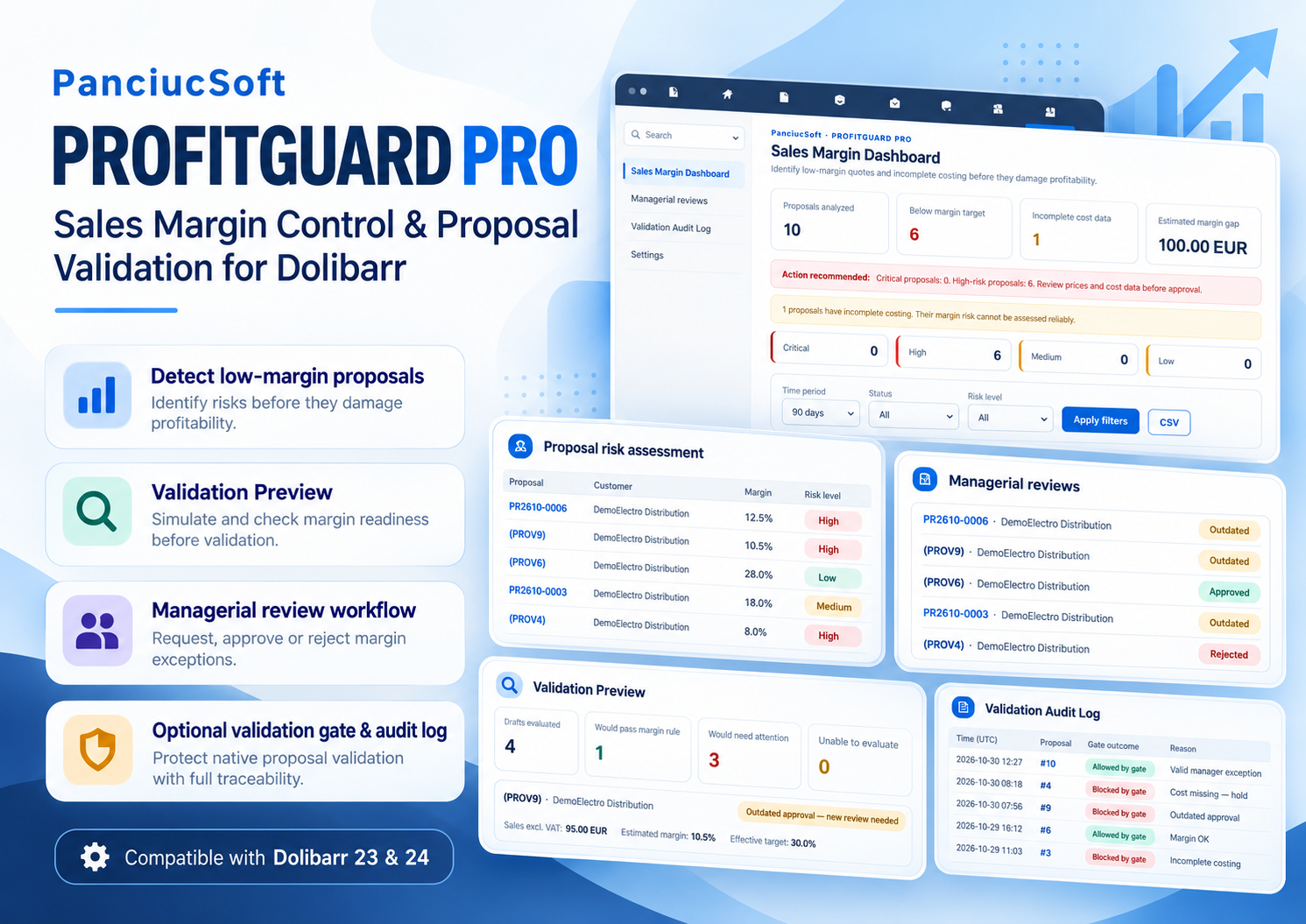
1.63 MB | Mikrosha2000 | Official promotional cover for ProfitGuard Pro 1.0.0, a PanciucSoft module for Dolibarr providing sales margin monitoring, managerial review workflows, validation preview and optional proposal validation controls. Author: PanciucSoft. Source: Original promotional artwork created for ProfitGuard Pro. | 1 |
| 06:16, 31 October 2026 | DolibarrUserAustralia-VehicleLog-logbook.png (file) |  |
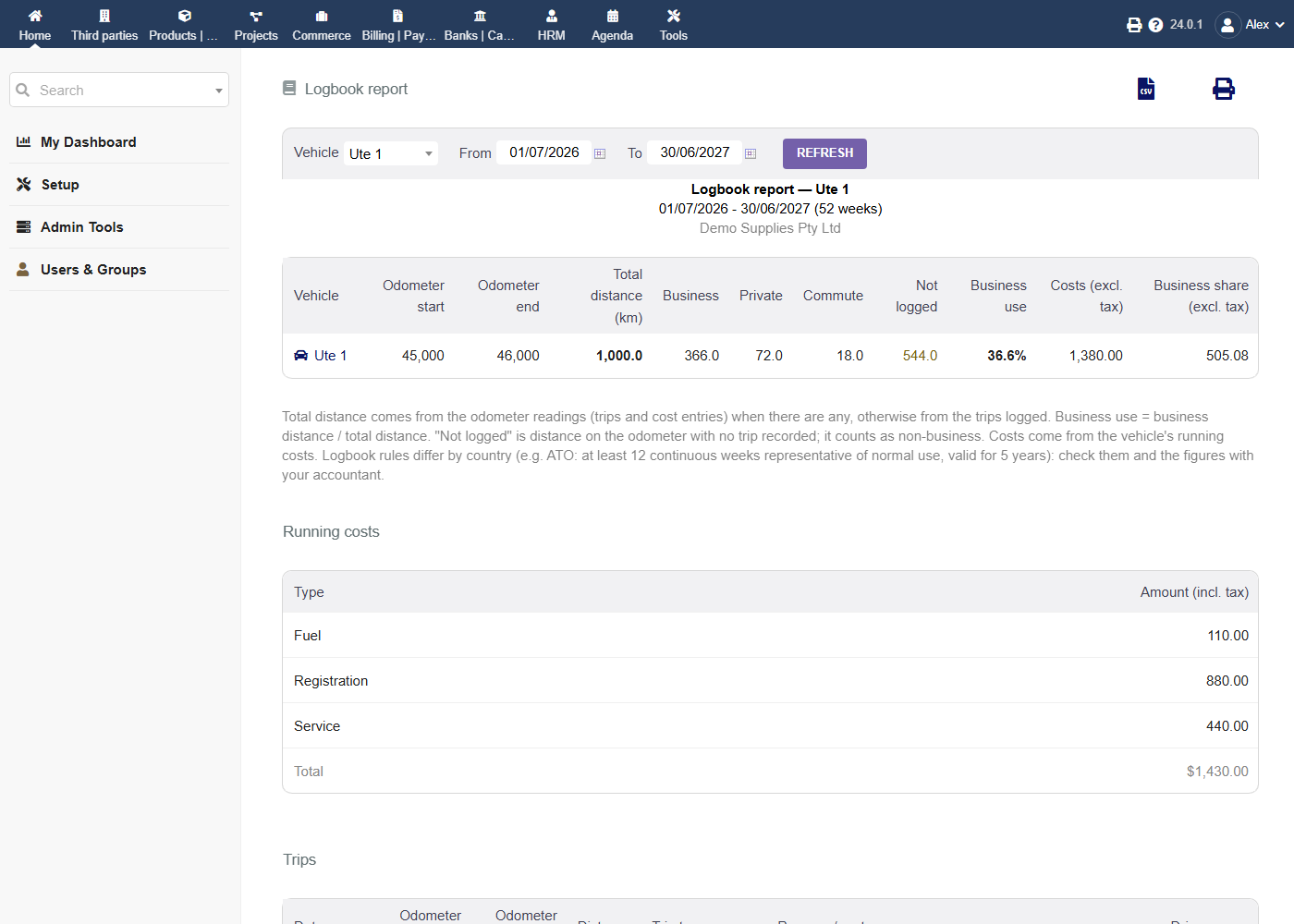
70 KB | DolibarrUserAustralia | Vehicle Log: logbook report for a vehicle with odometer start and end, distance by trip type, business-use percentage and business share of running costs. | 1 |
| 06:15, 31 October 2026 | DolibarrUserAustralia-VehicleLog-vehicle.png (file) |  |
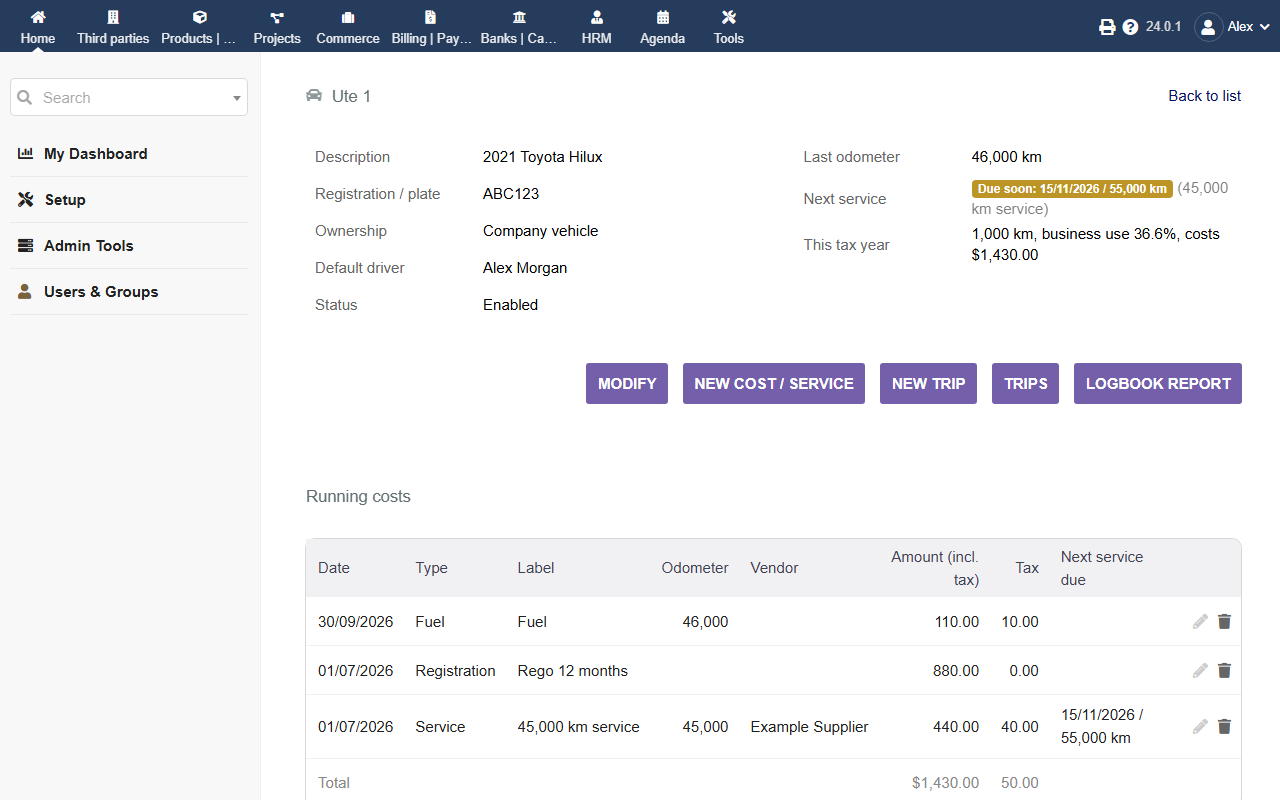
56 KB | DolibarrUserAustralia | Vehicle Log: a vehicle card with next service due, this tax year's distance and business use, and running costs. | 1 |
| 06:14, 31 October 2026 | DolibarrUserAustralia-VehicleLog-invoice.png (file) |  |
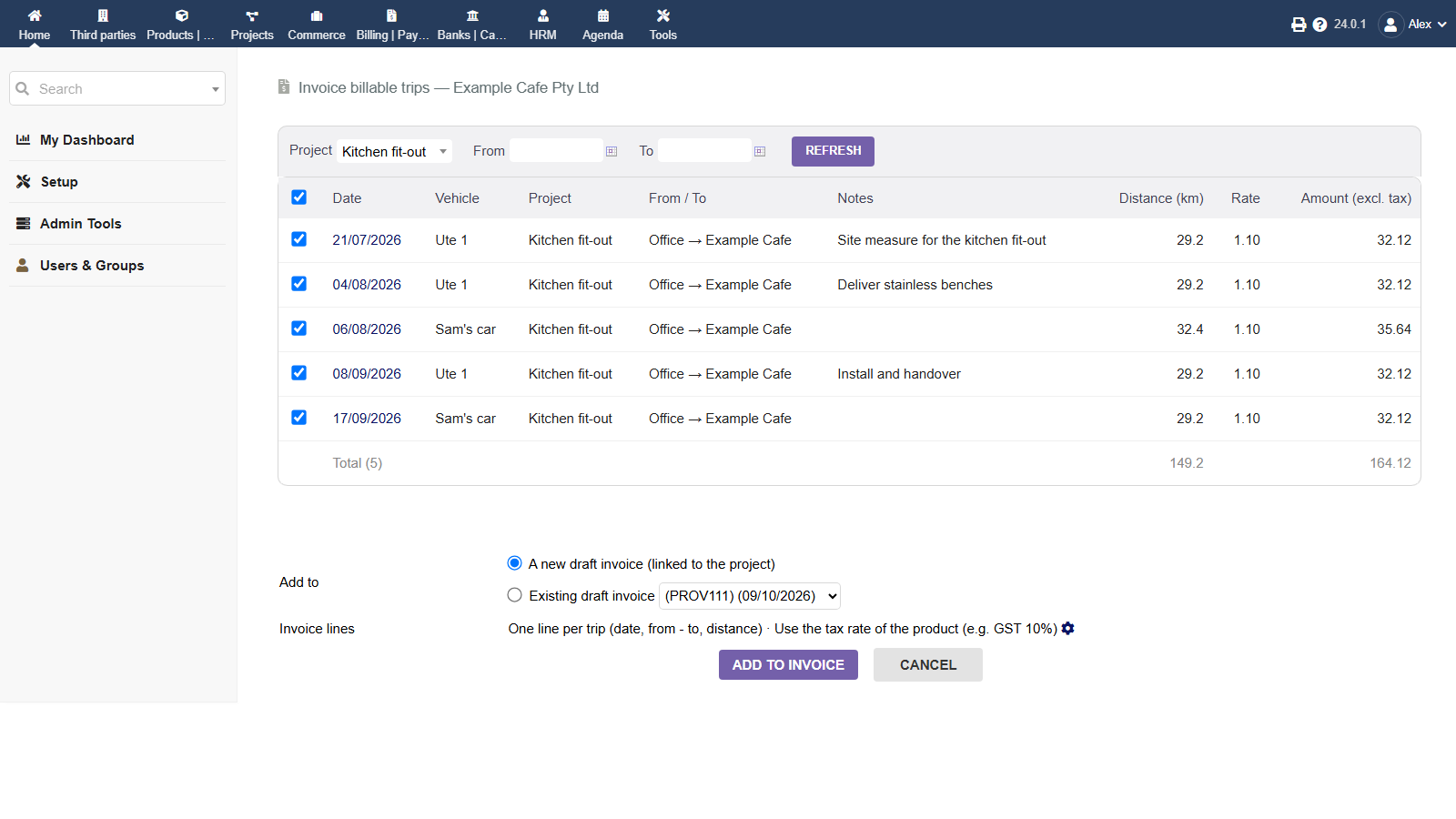
65 KB | DolibarrUserAustralia | Vehicle Log: billable trips of a project, priced at the billing rate, ready to add to a new or existing draft invoice. | 1 |
| 06:12, 31 October 2026 | DolibarrUserAustralia-VehicleLog-rates.png (file) |  |
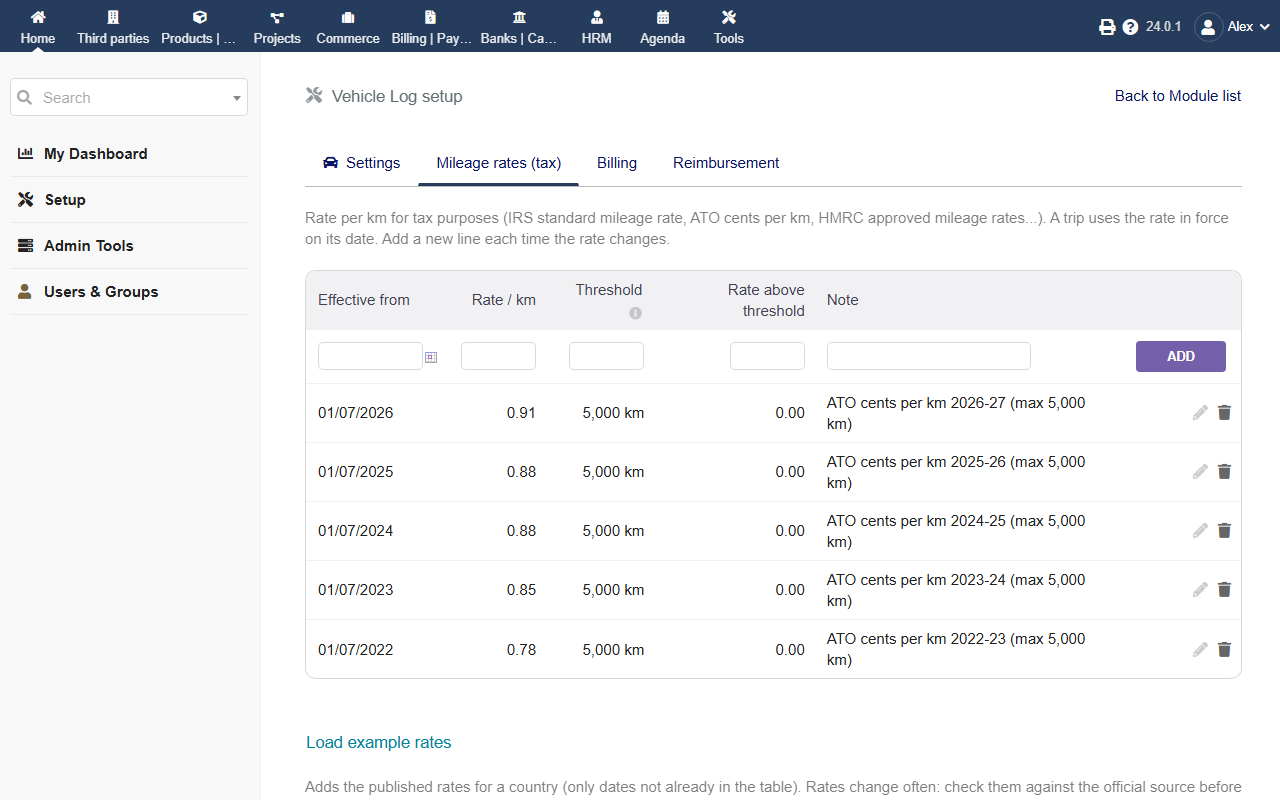
64 KB | DolibarrUserAustralia | Vehicle Log setup: tax mileage rates by effective date, with the ATO 5,000 km threshold (Australian example rates). | 1 |
| 06:11, 31 October 2026 | DolibarrUserAustralia-VehicleLog-report.png (file) |  |
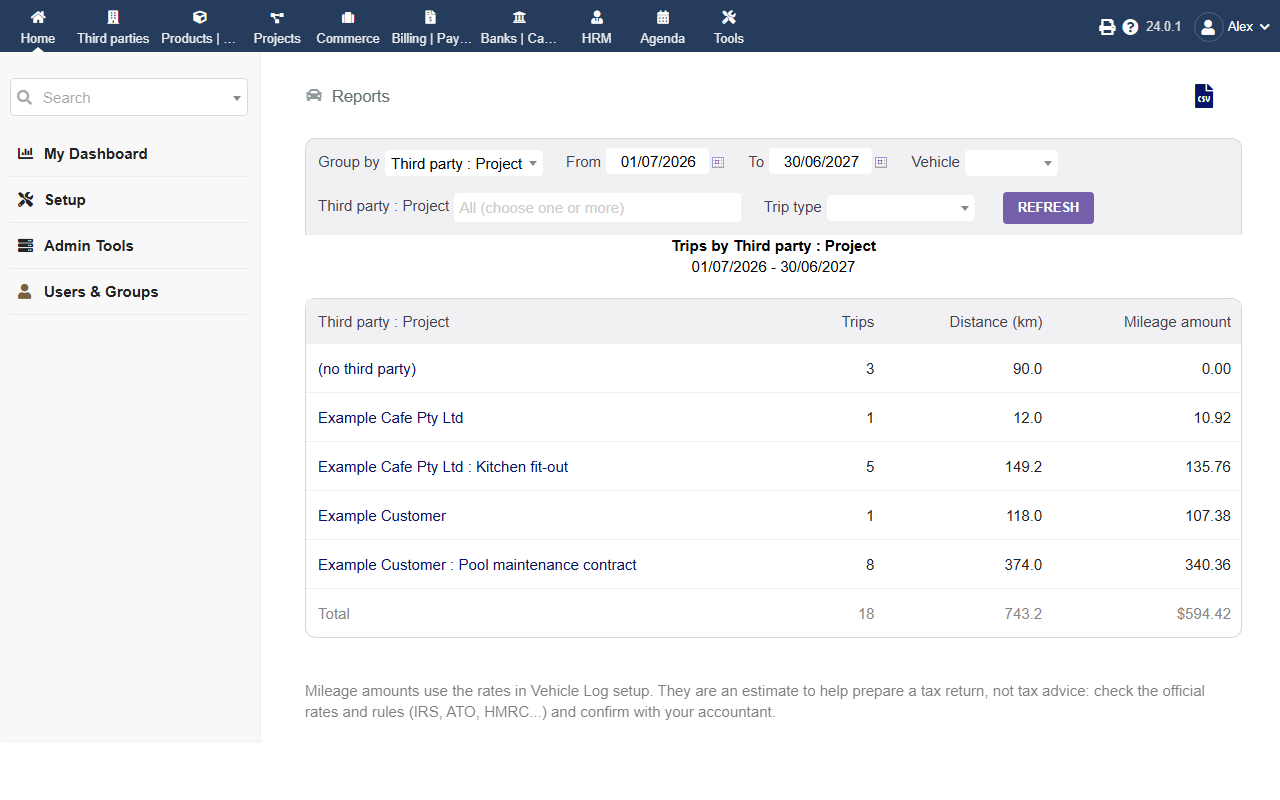
56 KB | DolibarrUserAustralia | Vehicle Log: report of trips, distance and tax mileage amount grouped by third party : project for the tax year. | 1 |
| 06:10, 31 October 2026 | DolibarrUserAustralia-VehicleLog-trips.png (file) |  |
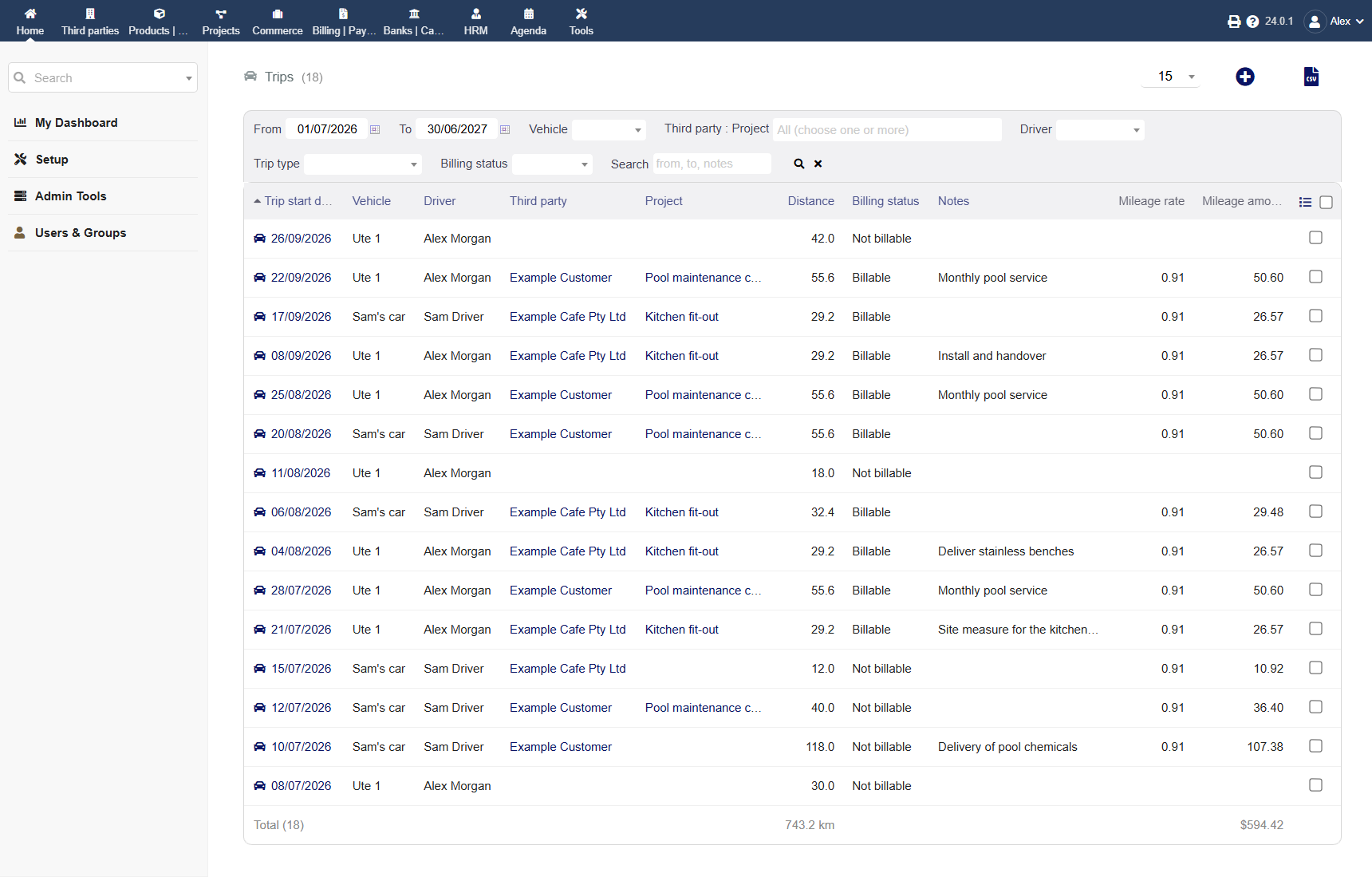
117 KB | DolibarrUserAustralia | Vehicle Log: the trip list for the tax year with filters, vehicle, driver, third party, project, distance, billing status, mileage rate and amount, and totals. | 1 |
| 06:09, 31 October 2026 | DolibarrUserAustralia-VehicleLog-trip.png (file) |  |
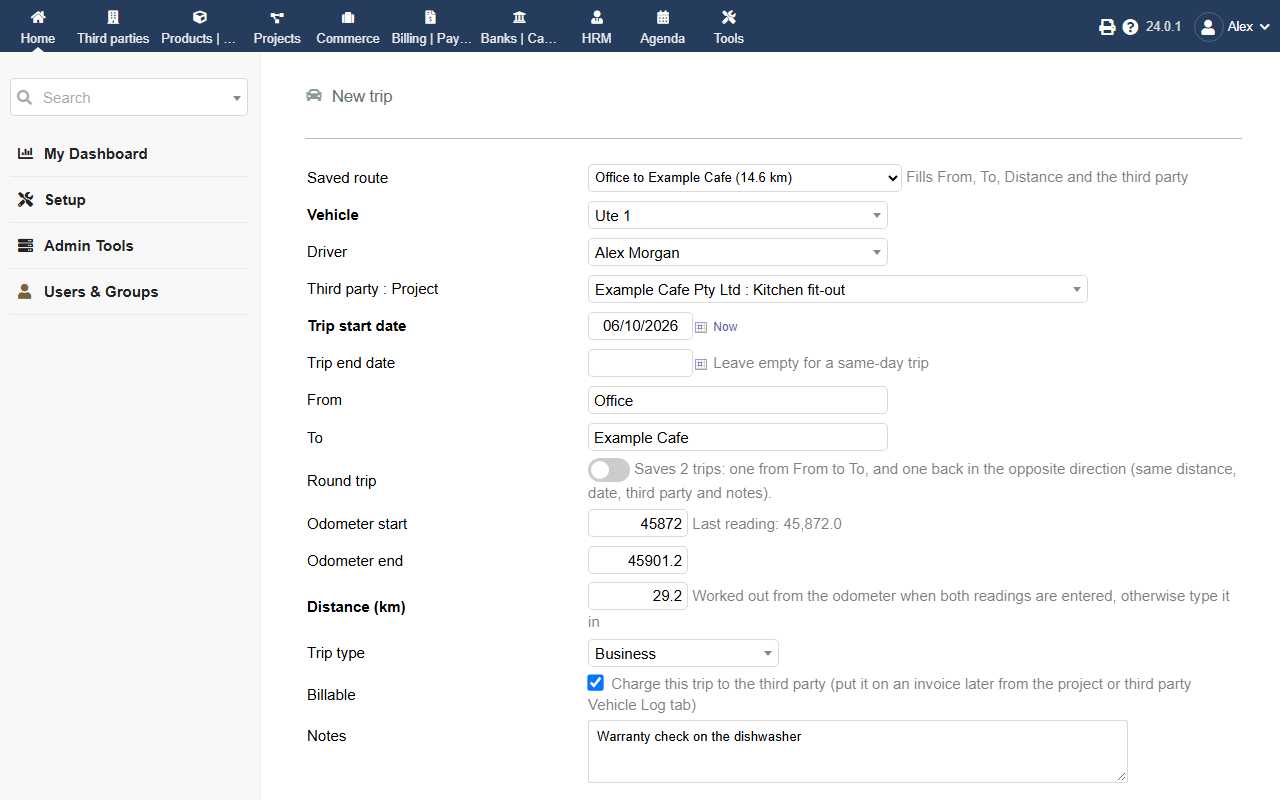
61 KB | DolibarrUserAustralia | Vehicle Log: a new trip with a saved route, vehicle, driver, third party : project, odometer start and end (distance worked out), trip type and billable tick. | 1 |
| 06:06, 31 October 2026 | DolibarrUserAustralia-VehicleLog-logo.png (file) |  |
43 KB | DolibarrUserAustralia | Vehicle Log module logo: a trip from office to customer, odometer readings, distance × tax rate, bill it, reimburse it. | 1 |
| 02:03, 31 October 2026 | DolibarrUserAustralia-UnitsOfMeasure-pdf.png (file) |  |
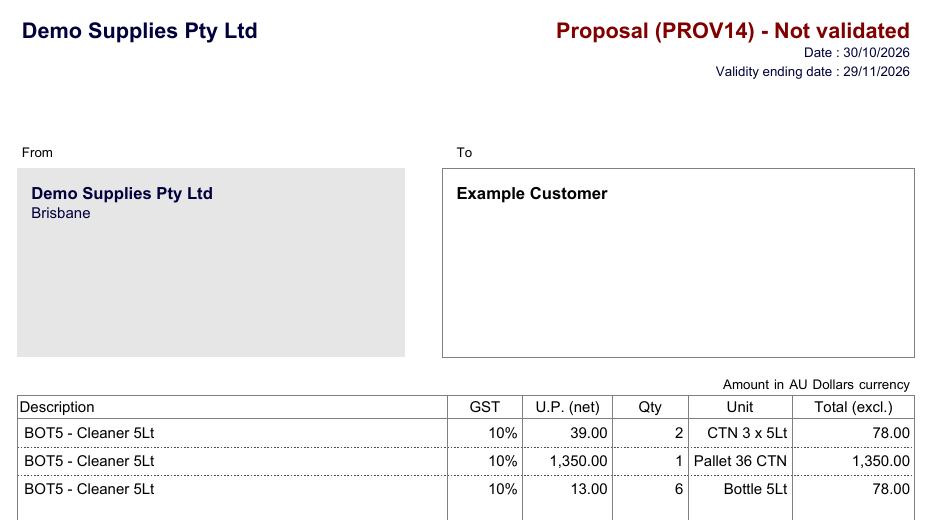
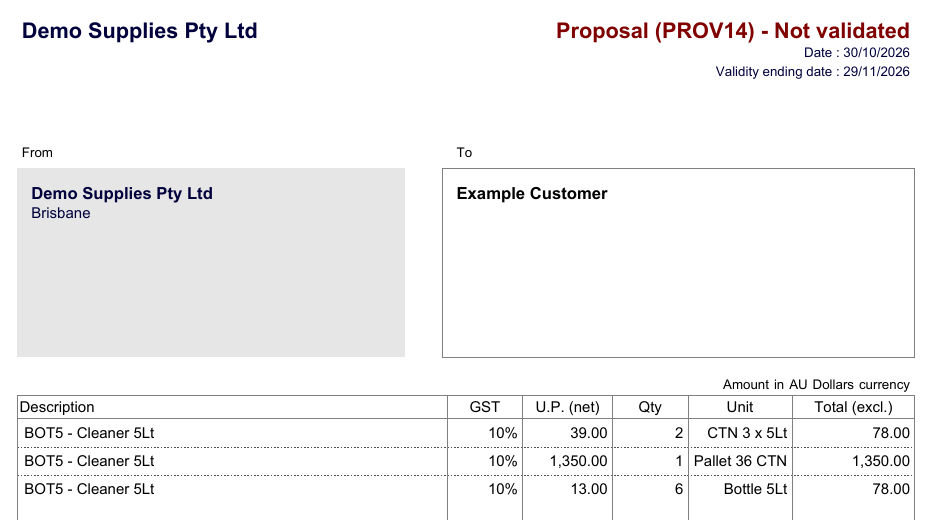
51 KB | DolibarrUserAustralia | Units of Measure: quote PDF with quantities, prices and a Unit column in the units entered (carton, pallet, bottle). | 1 |
| 02:02, 31 October 2026 | DolibarrUserAustralia-UnitsOfMeasure-receive.png (file) |  |
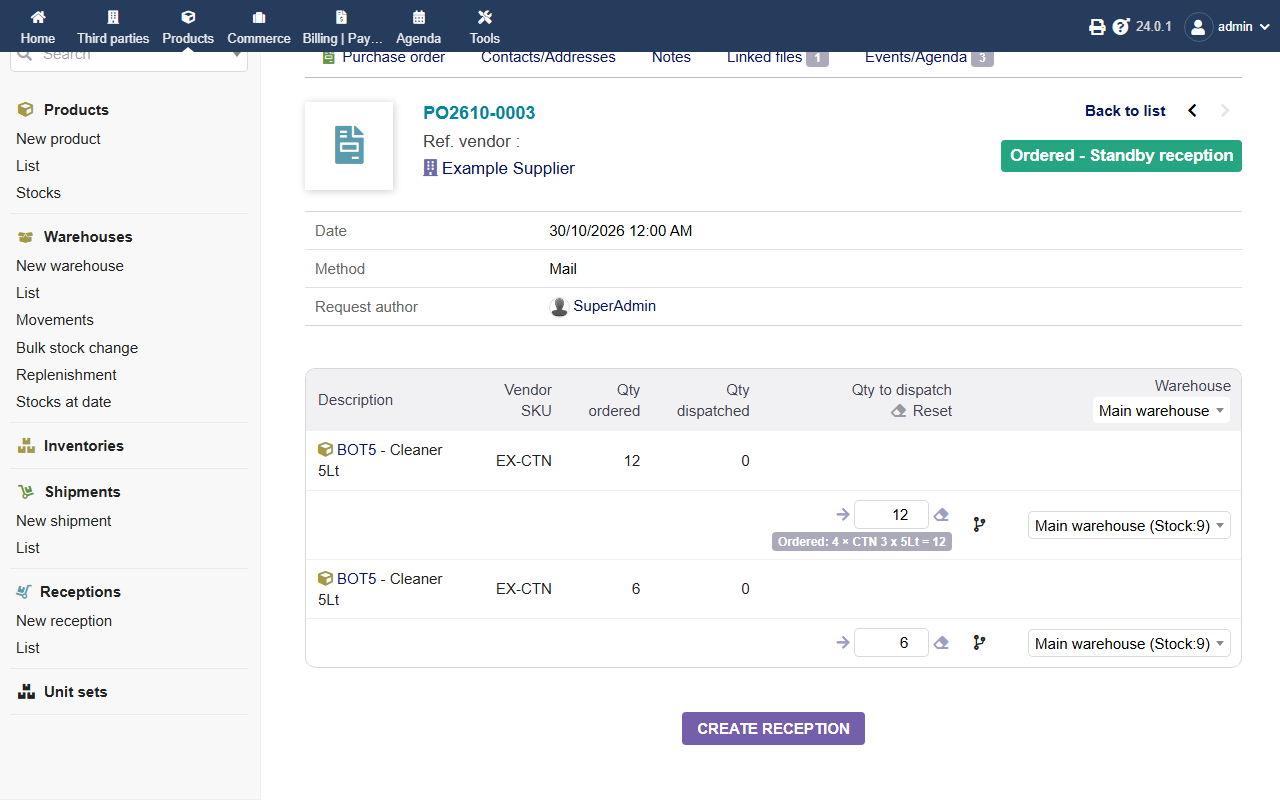
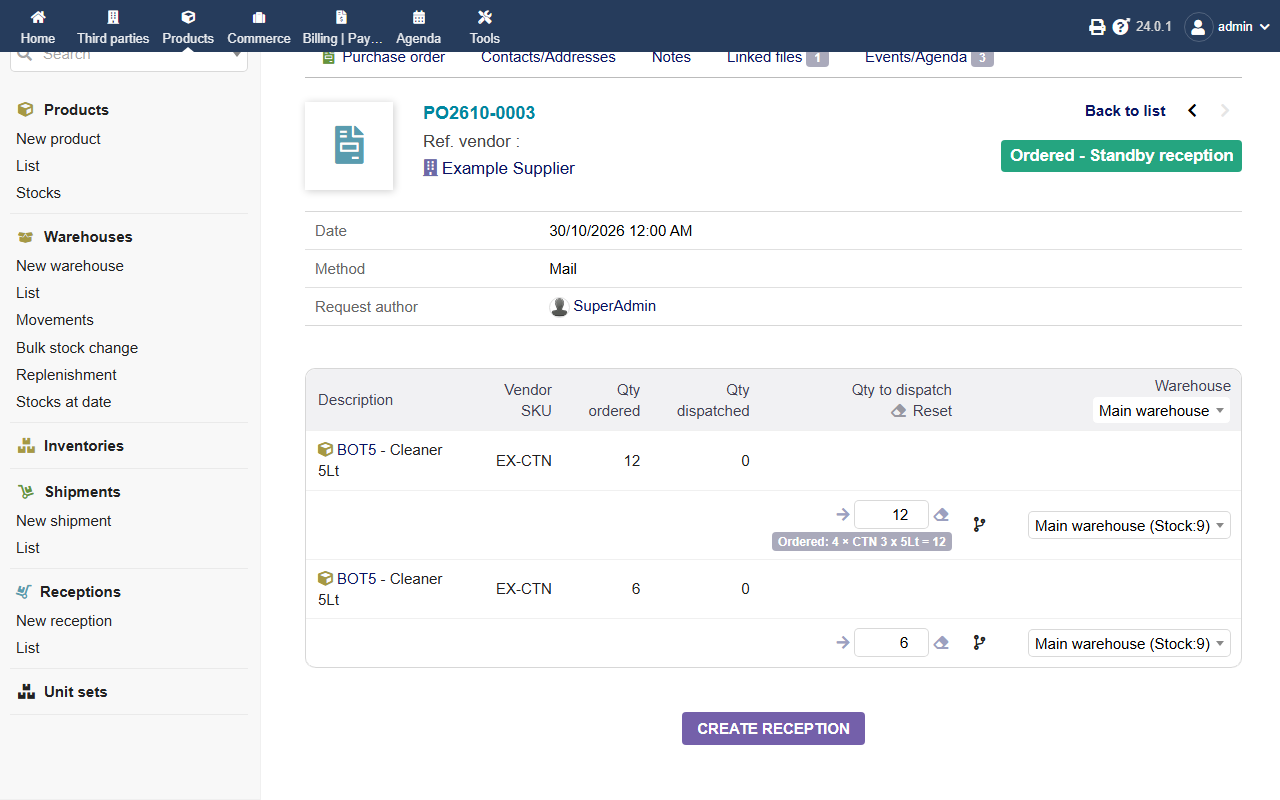
65 KB | DolibarrUserAustralia | Units of Measure: receiving a purchase order, showing the unit each line was ordered in ("Ordered: 4 × CTN 3 x 5Lt = 12"). | 1 |
| 02:01, 31 October 2026 | DolibarrUserAustralia-UnitsOfMeasure-vendor.png (file) |  |
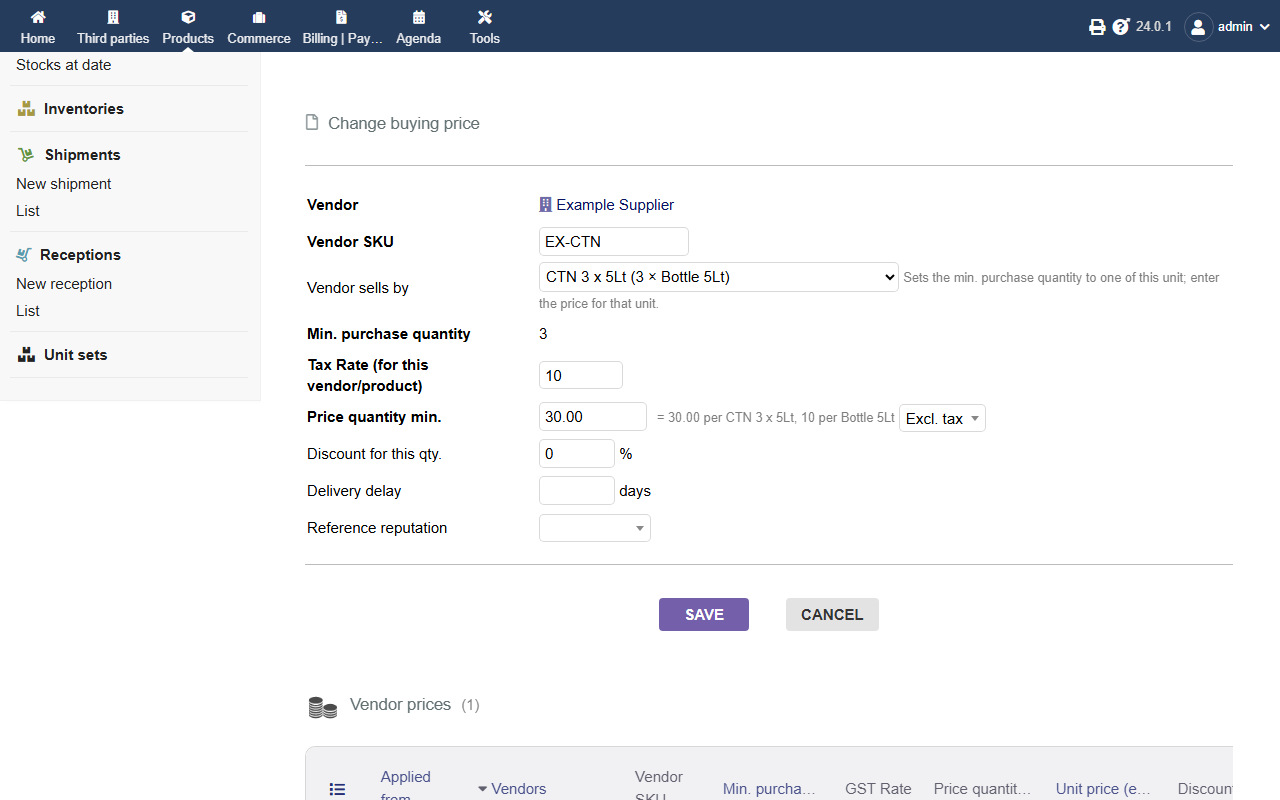
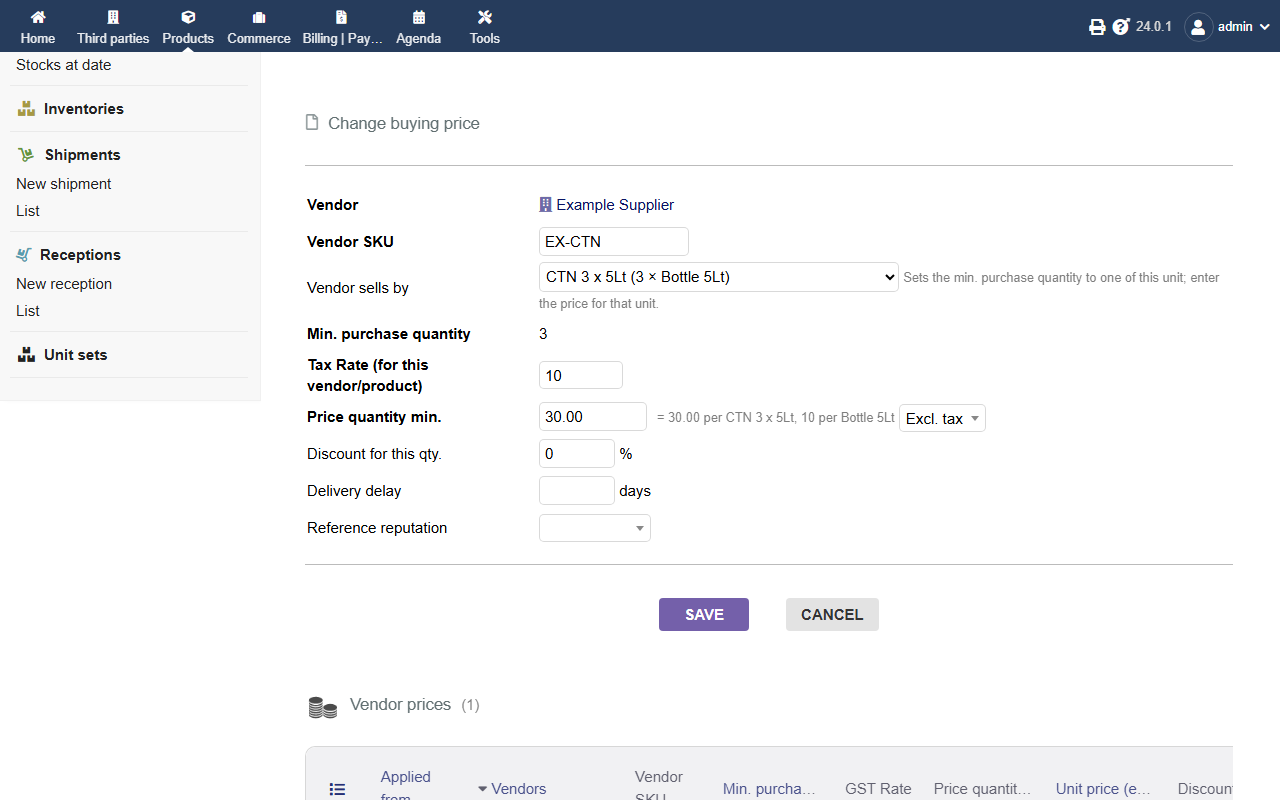
52 KB | DolibarrUserAustralia | Units of Measure: vendor price form, "Vendor sells by" a carton, with the price per carton and per bottle. | 1 |
| 02:00, 31 October 2026 | DolibarrUserAustralia-UnitsOfMeasure-quote.png (file) |  |
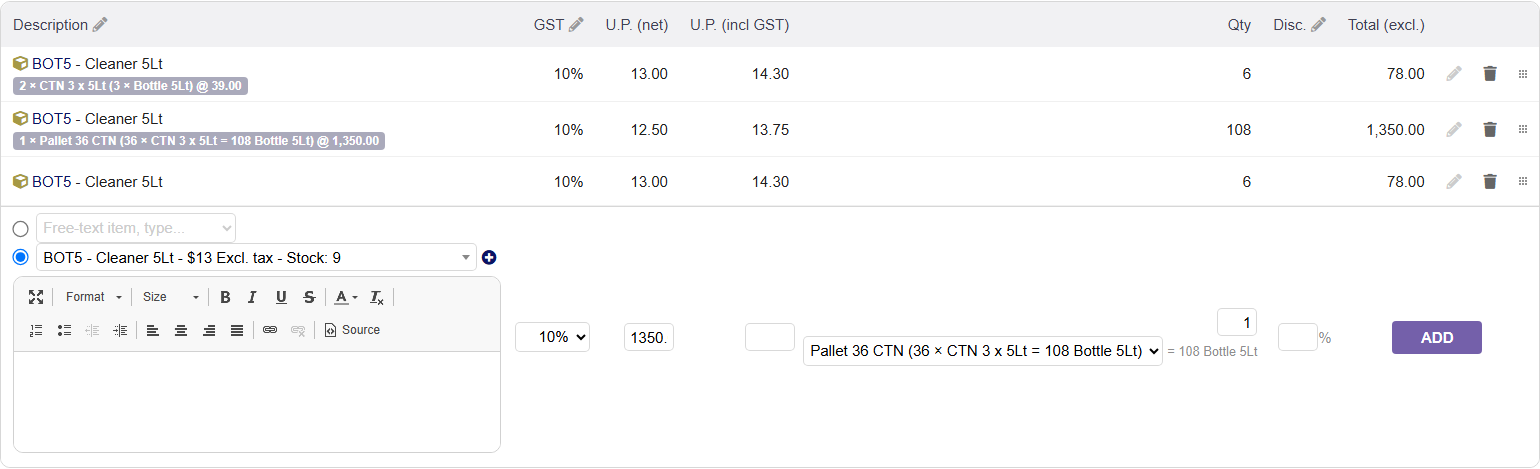
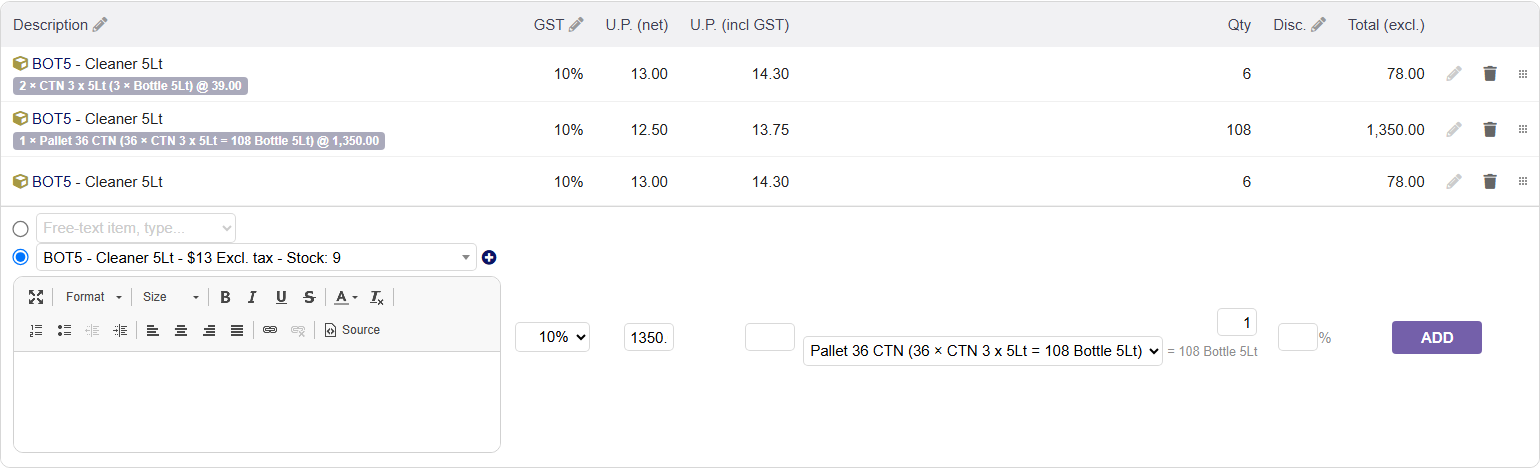
38 KB | DolibarrUserAustralia | Units of Measure: quote lines entered by the carton and the pallet with exact totals, and the Unit drop-down on the add-line form. | 1 |
| 01:59, 31 October 2026 | DolibarrUserAustralia-UnitsOfMeasure-product.png (file) |  |
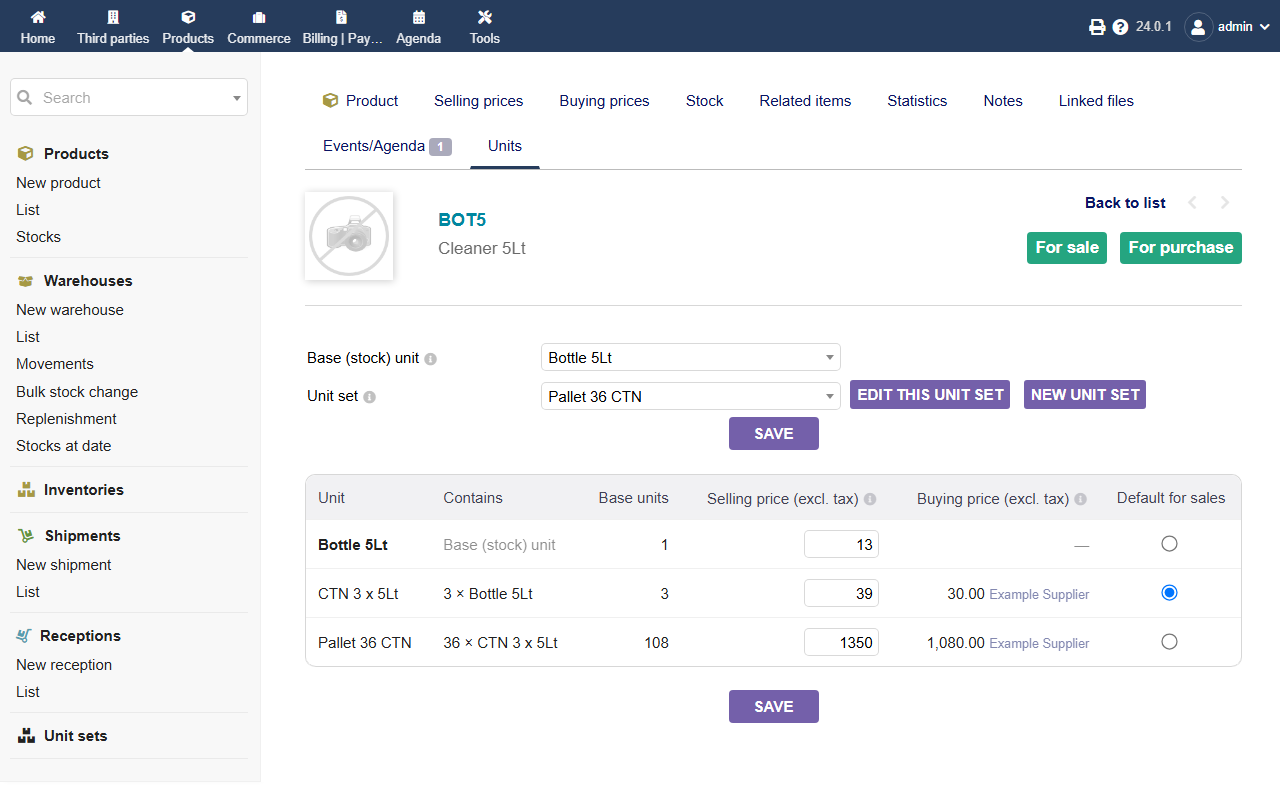
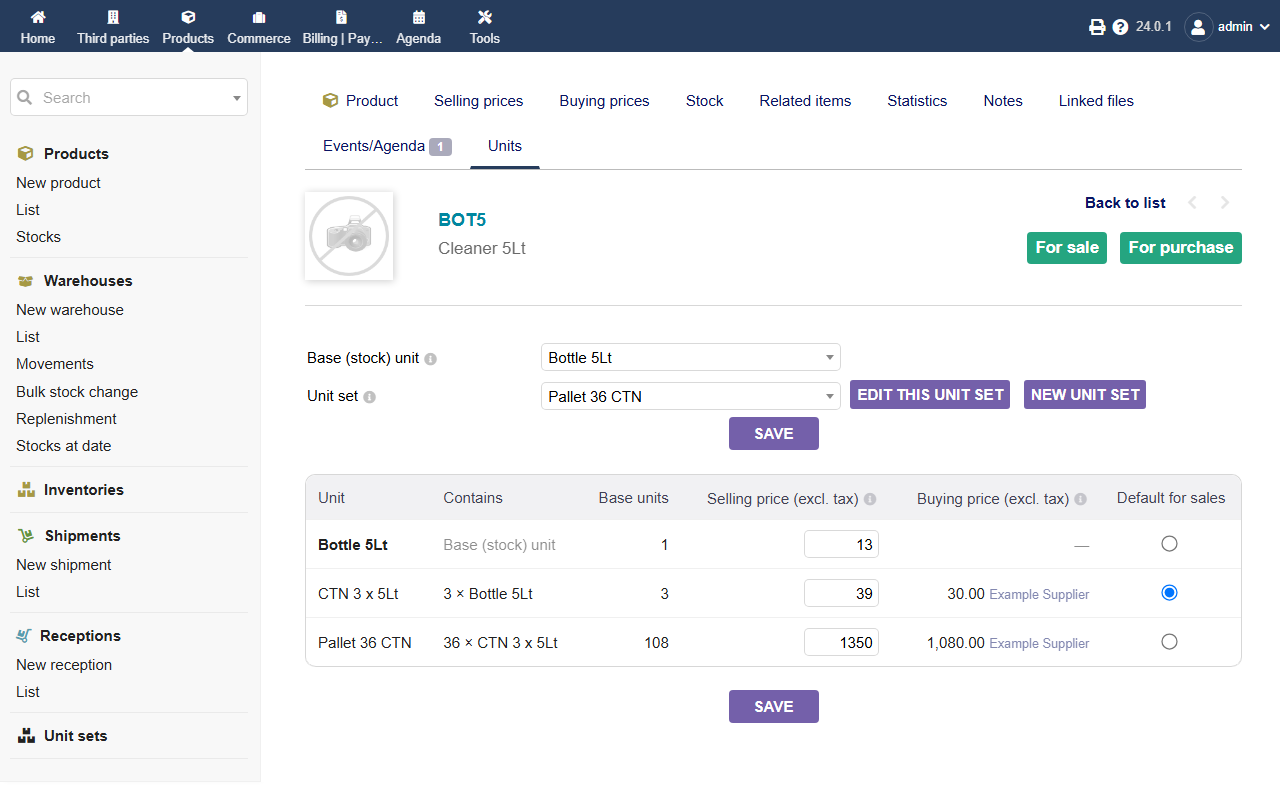
66 KB | DolibarrUserAustralia | Units of Measure: a product's Units tab, with base unit, unit set, selling price per unit and best vendor price. | 1 |
| 01:57, 31 October 2026 | DolibarrUserAustralia-UnitsOfMeasure-sets.png (file) |  |
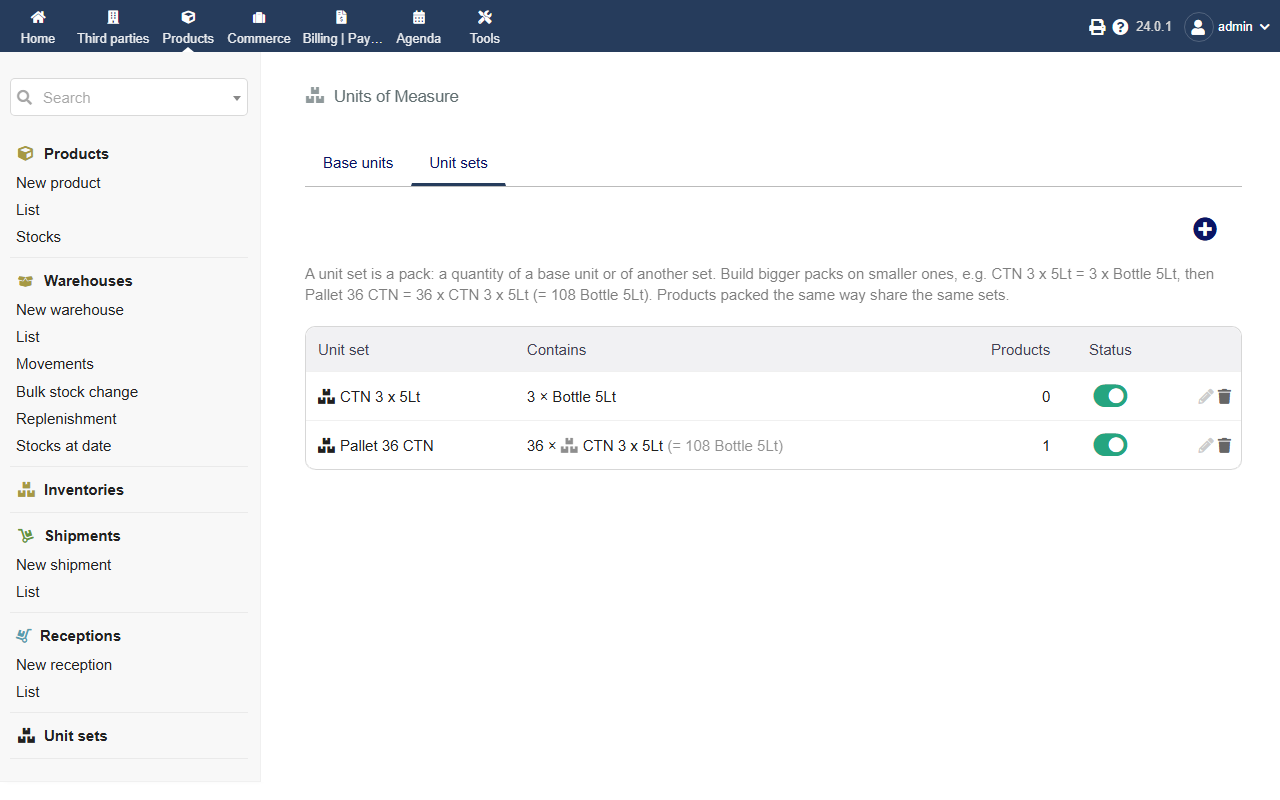
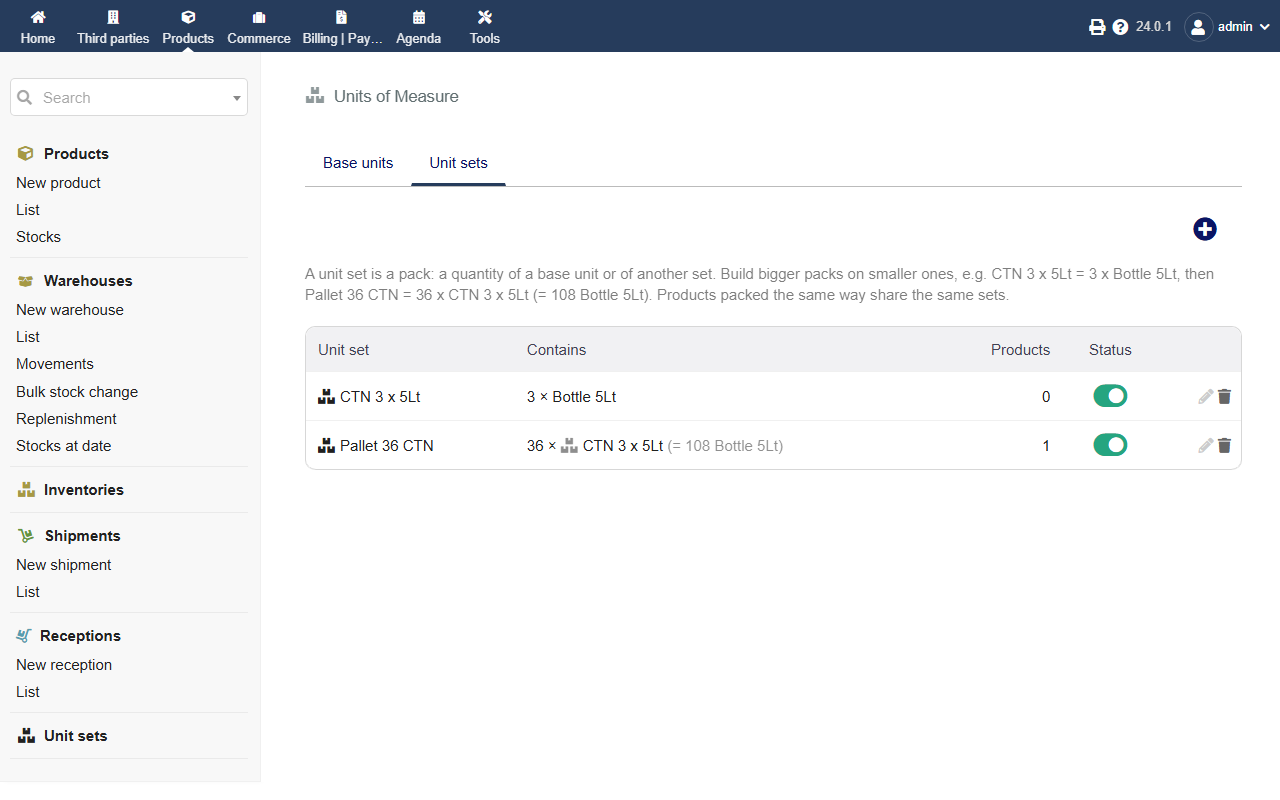
50 KB | DolibarrUserAustralia | Units of Measure: Unit sets list, with a carton of 3 bottles and a pallet of 36 cartons (108 bottles). | 1 |
| 01:56, 31 October 2026 | DolibarrUserAustralia-UnitsOfMeasure-logo.png (file) |  |
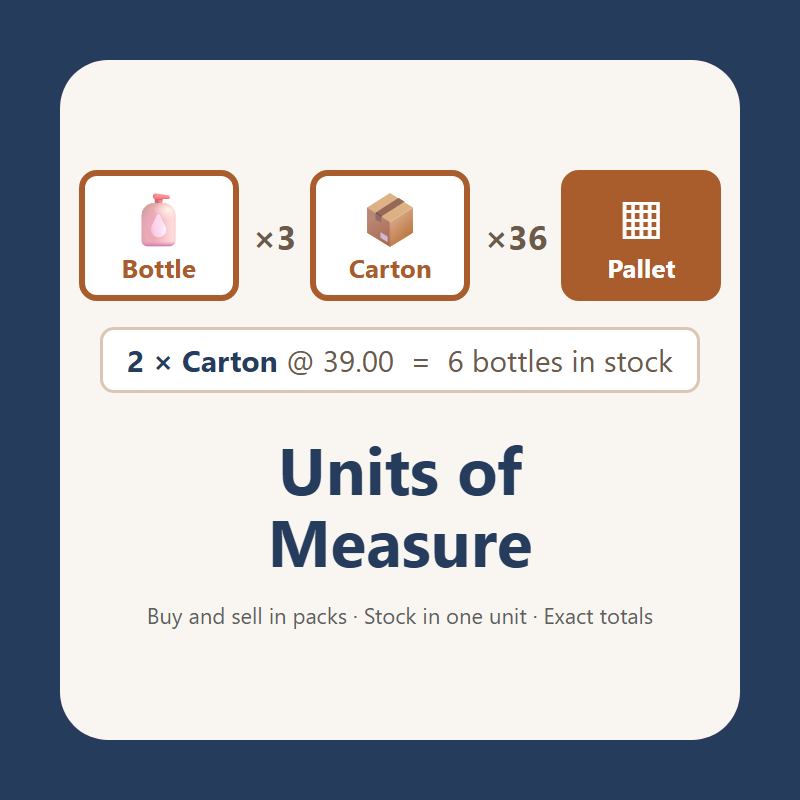
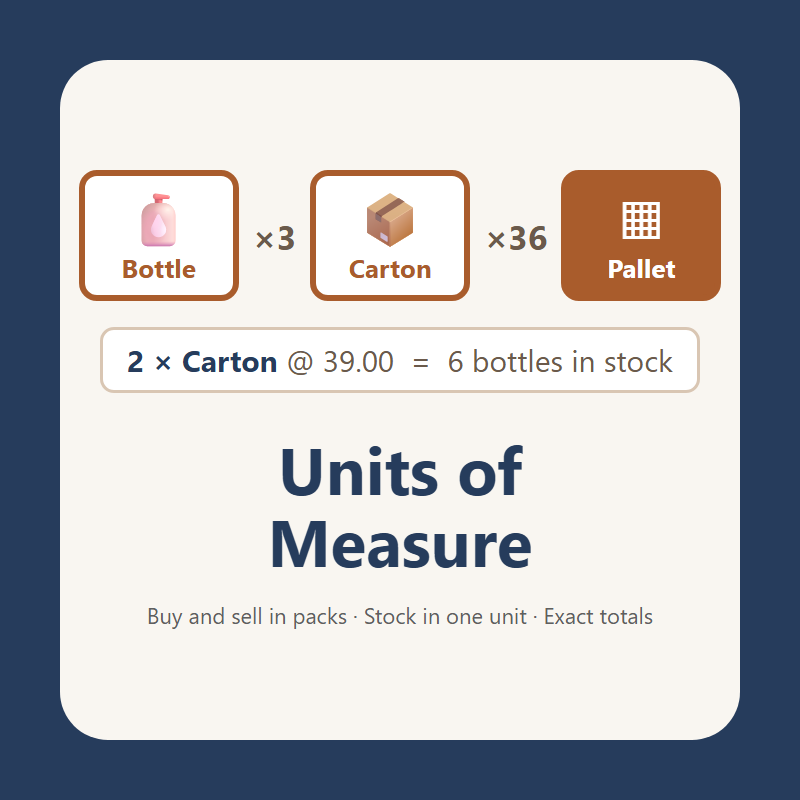
44 KB | DolibarrUserAustralia | Logo of the Units of Measure module (Dolibarr User Australia): bottle × 3 = carton, × 36 = pallet. | 1 |
| 01:38, 31 October 2026 | 6-quote-pdf.png (file) |  |
51 KB | DolibarrUserAustralia | 1 | |
| 01:38, 31 October 2026 | 5-receive-products.png (file) |  |
65 KB | DolibarrUserAustralia | 1 | |
| 01:38, 31 October 2026 | 4-vendor-sells-by.png (file) |  |
52 KB | DolibarrUserAustralia | 1 | |
| 01:38, 31 October 2026 | 3-quote-lines.png (file) |  |
38 KB | DolibarrUserAustralia | 1 | |
| 01:37, 31 October 2026 | 2-product-units.png (file) |  |
66 KB | DolibarrUserAustralia | 1 | |
| 01:37, 31 October 2026 | 1-unit-sets.png (file) |  |
50 KB | DolibarrUserAustralia | 1 | |
| 01:35, 31 October 2026 | 0-cover.png (file) |  |
44 KB | DolibarrUserAustralia | 1 | |
| 02:28, 30 October 2026 | 12 CoA Inspection Details.png (file) |  |
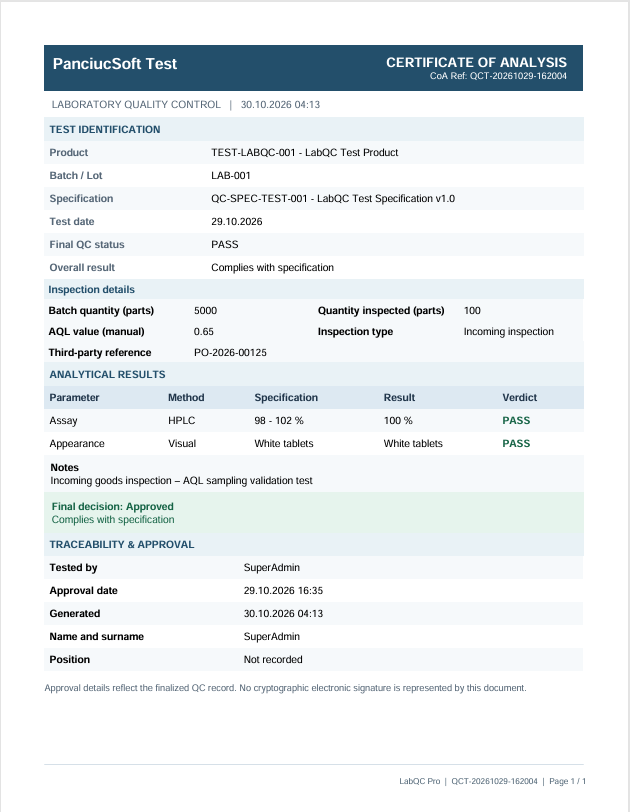
97 KB | Mikrosha2000 | LabQC Pro v1.1.1 – Certificate of Analysis (CoA). Example PDF report showing inspection quantities, AQL information, analytical results, final quality decision and approval traceability. Source: Original report generated using PanciucSoft LabQC Pro. Author: PanciucSoft. Copyright © 2026 PanciucSoft. | 1 |
| 02:23, 30 October 2026 | 11 Inspection Details.png (file) |  |
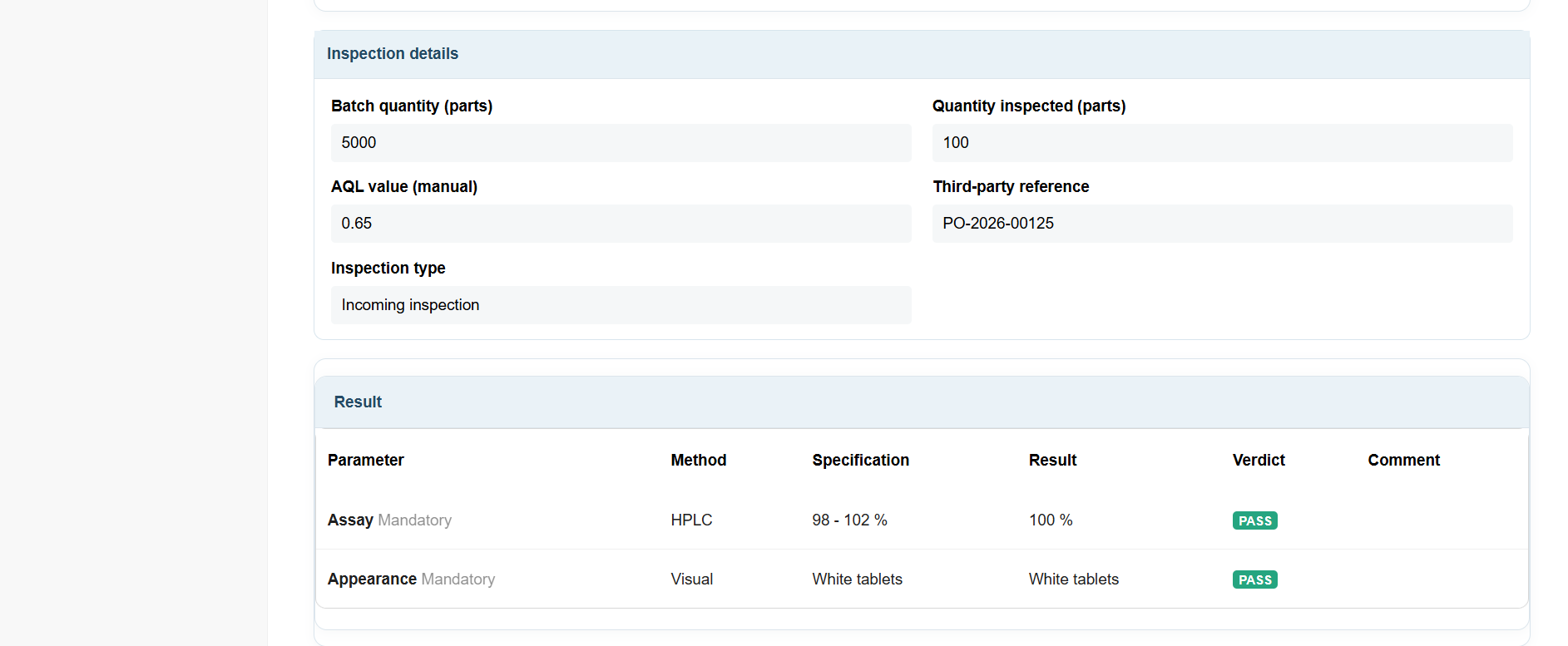
55 KB | Mikrosha2000 | LabQC Pro v1.1.1 – Inspection Details. Screenshot showing batch quantity, inspected quantity, manually entered AQL value, third-party reference and inspection type. Source: Original screenshot of PanciucSoft LabQC Pro. Author: PanciucSoft. Copyright © 2026 PanciucSoft. | 1 |
| 12:41, 29 October 2026 | ProcureMatchPro 1.0.0 08 Module Settings.png (file) |  |
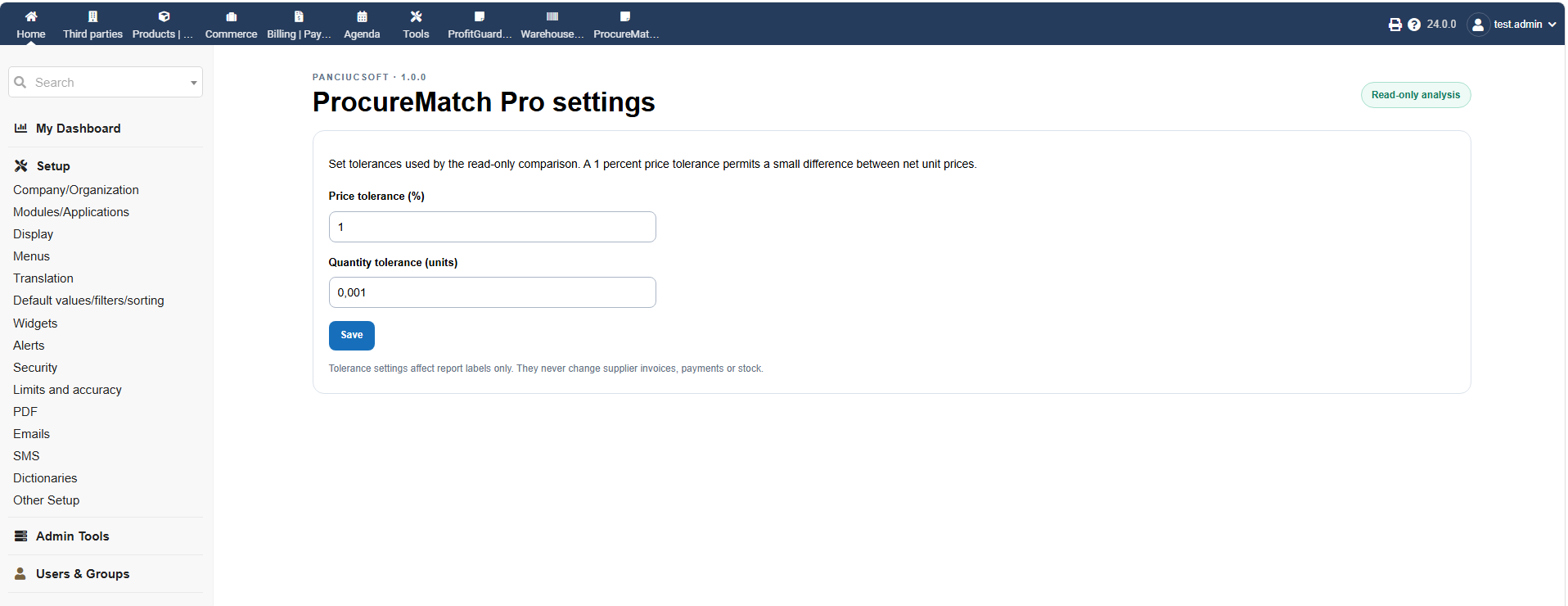
65 KB | Mikrosha2000 | 1 | |
| 12:40, 29 October 2026 | ProcureMatchPro 1.0.0 07 Allocation Audit Trail.png (file) |  |
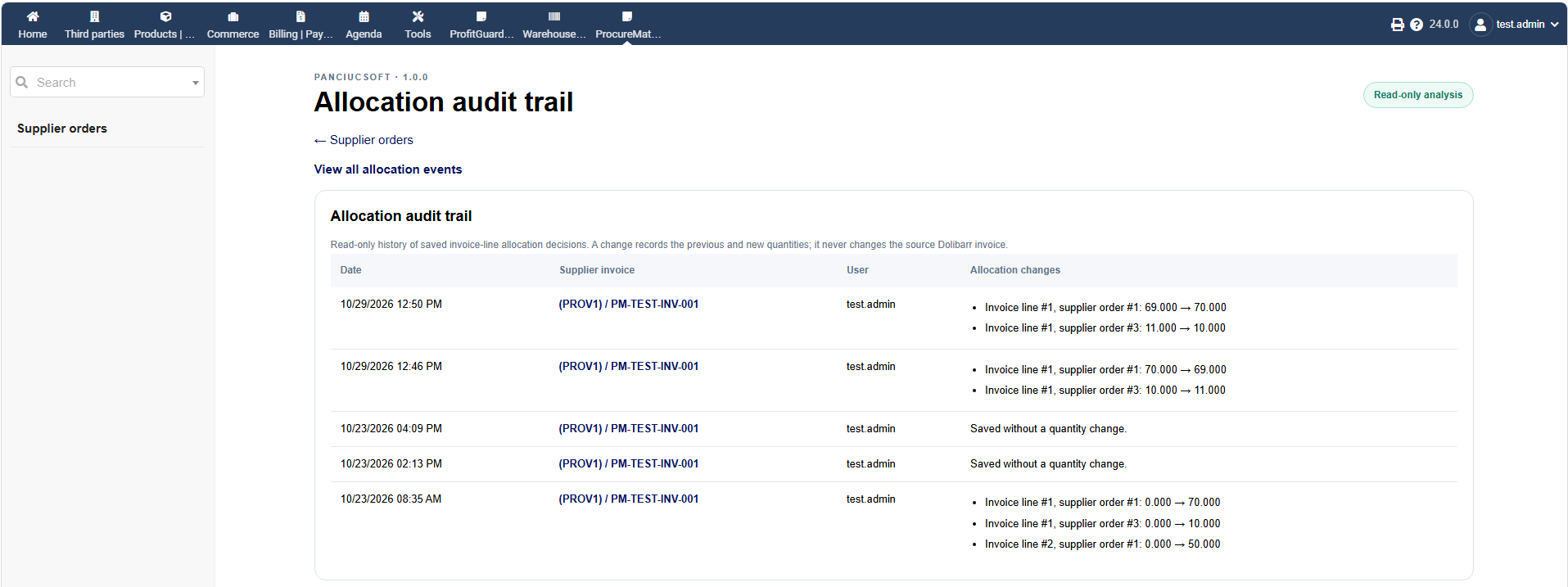
79 KB | Mikrosha2000 | 1 | |
| 12:38, 29 October 2026 | ProcureMatchPro 1.0.0 06 Invoice Line Allocation.png (file) |  |
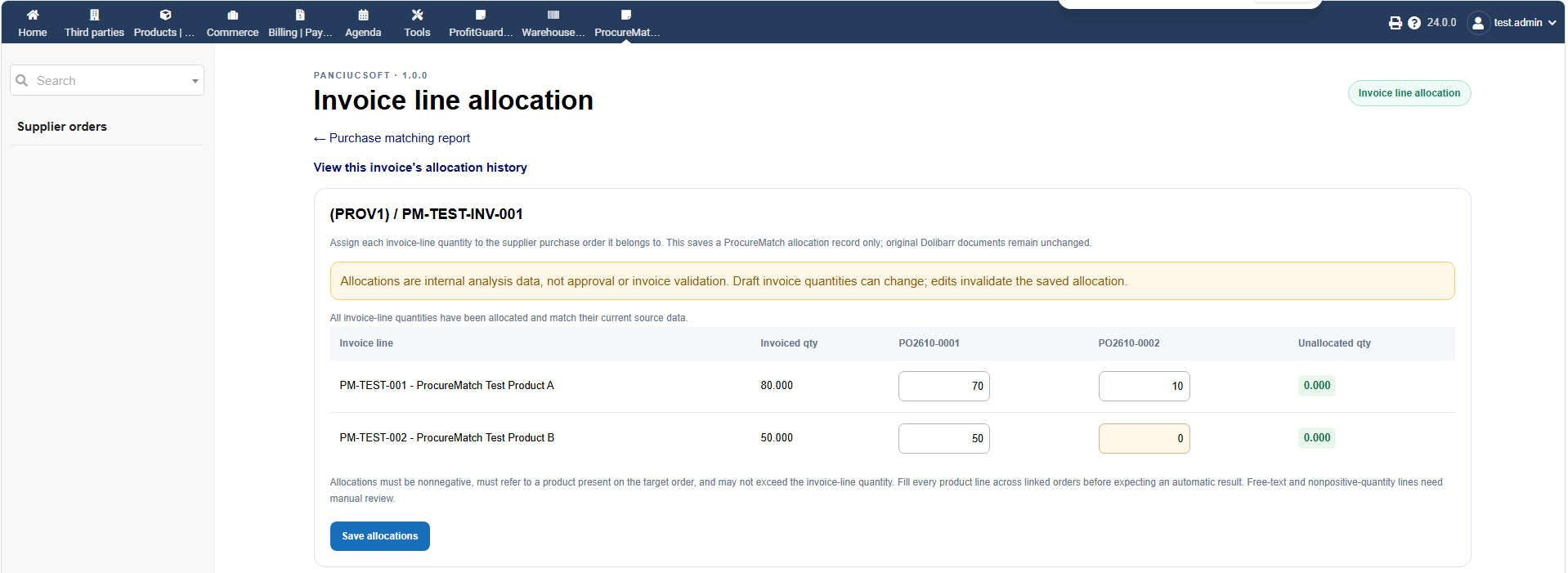
74 KB | Mikrosha2000 | 1 | |
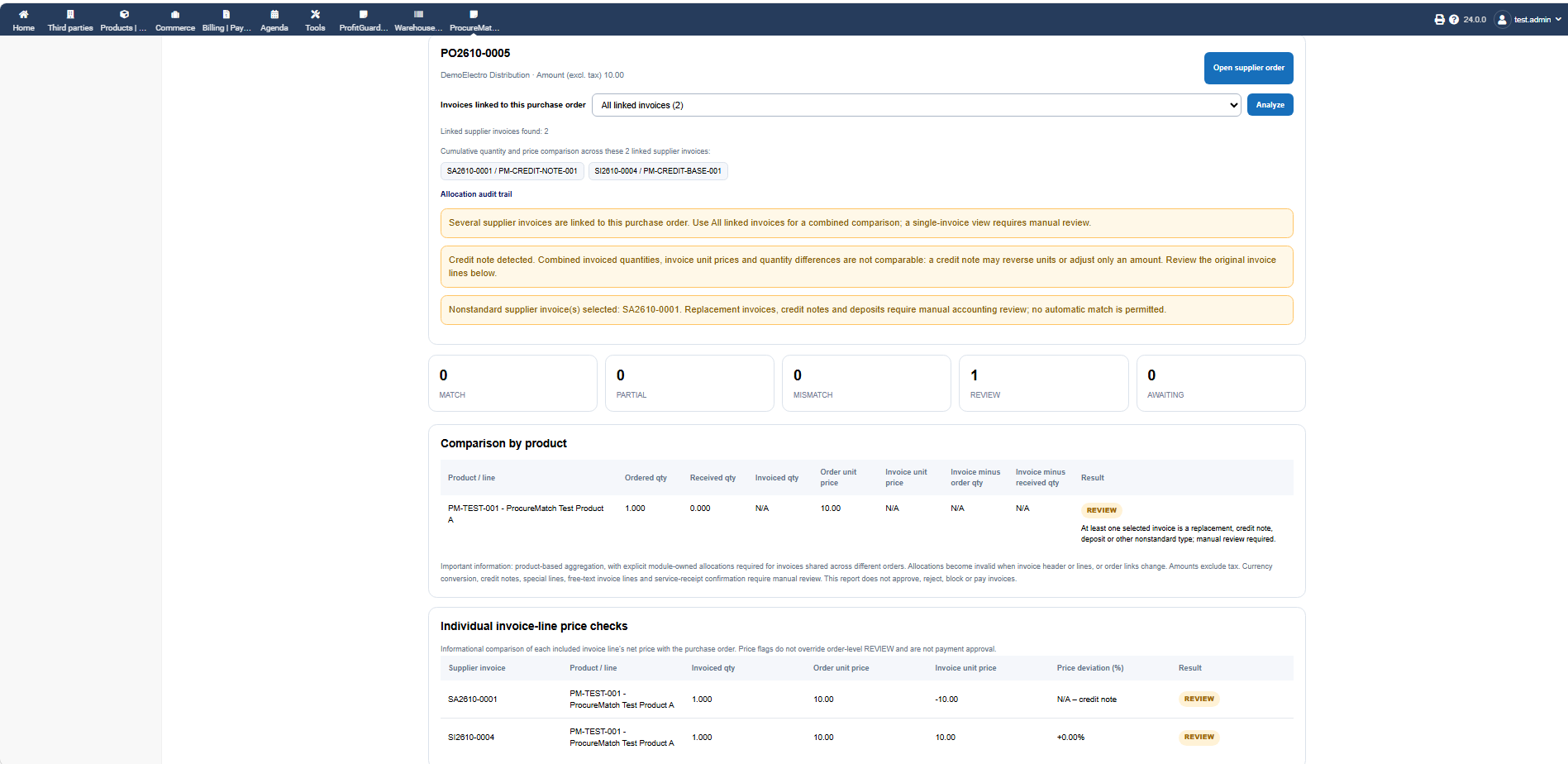
| 12:38, 29 October 2026 | ProcureMatchPro 1.0.0 05 Multiple Invoices Review.png (file) |  |
92 KB | Mikrosha2000 | 1 | |
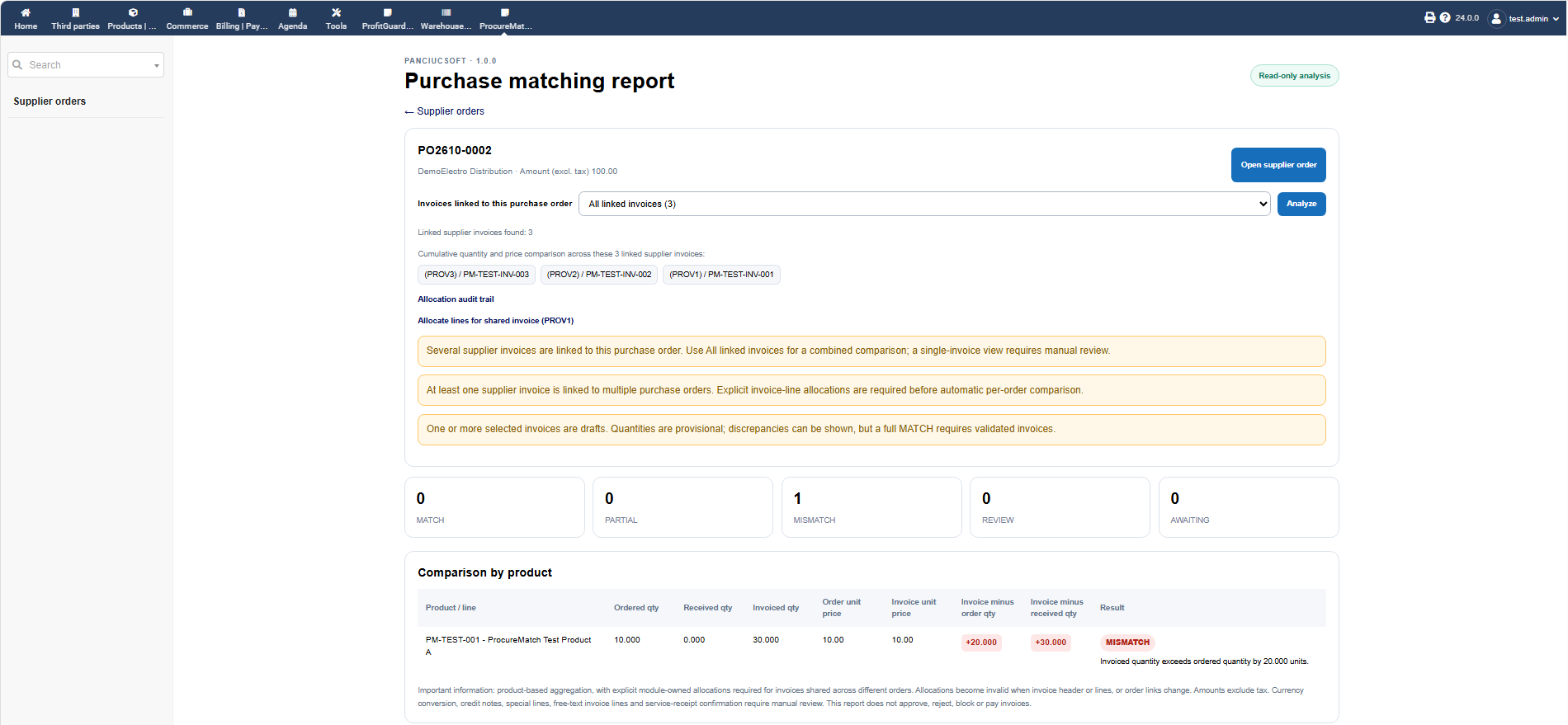
| 12:37, 29 October 2026 | ProcureMatchPro 1.0.0 04 Discrepancy Detection.png (file) |  |
92 KB | Mikrosha2000 | 1 |