Complementary attributes: Difference between revisions
Jump to navigation
Jump to search

m (→Type) Tag: 2017 source edit |
mNo edit summary Tag: 2017 source edit |
||
| Line 69: | Line 69: | ||
===Help text to show on tooltip=== | ===Help text to show on tooltip=== | ||
=Tips= | |||
== Computed Fields== | |||
== Visibility== | |||
<code>(($c = new Categorie($db)) && ($cats = $c->containing($object->id, Categorie::TYPE_PRODUCT))&& (in_array('mycategory',$cats ))) ? 1 : 0</code> | |||
Revision as of 15:25, 22 December 2021

Introduction
Most of the Dolibarr modules have the possibilities to enhance the standard fields by new users fields. These fields are called "Complementary attributes" can be defined for objects or object lines.
How to use
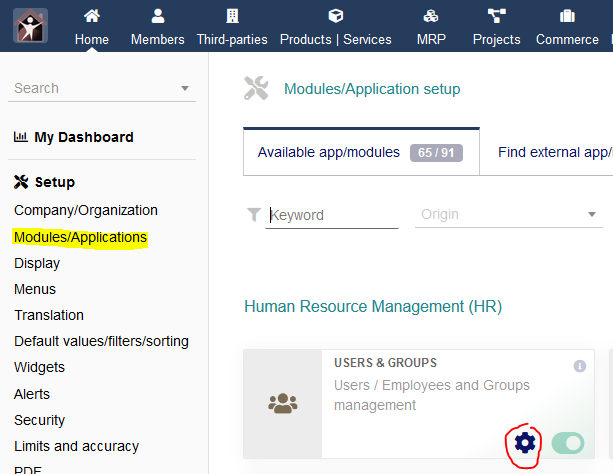
Go to the parameters of the module where you want to create new user fileds

On the configuration page, select the complementary attribute menu

Then click on New Attribute
List of fields for each complementary attribute
Each attribute has a some fields that need to be set

Label or translation key
- Mandatory field
- Label of the new field. This can be a translation key (new or existing), then you also need to set the 'language file' field.
Attribute code
- Mandatory field
- Code of the new field. Can only contain alphanumerical and lower case characters without space
Type
- String (1 line) : Text on one line.
- Long text (n lines) : Text on several lines.
- Html text : Text with HTML tags.
- Integer :
- Float :
- Date :
- Date and hour :
- Boolean (one checkbox) :
- Price :
- Phone :
- Email :
- Url :
- Password :
- Select list :
- Select from table :
- Radio buttons (one choice only) :
- Checkboxes :
- Checkboxes from table :
- Link to an object :
- Separator (not a field) :
Size
Position
Value
Language file
Computed field
Default value (Database)
Unique
Required
Can always be edited
Visibility
Display on PDF
Totalizable
Help text to show on tooltip
Tips
Computed Fields
Visibility
(($c = new Categorie($db)) && ($cats = $c->containing($object->id, Categorie::TYPE_PRODUCT))&& (in_array('mycategory',$cats ))) ? 1 : 0